Choose the source of your career site applications
Every candidate and every application carries a source: it tells you, in your lists and reports, where your candidates come from. By default, applications submitted on your career site get the Unsolicited Application source, the same one given to unsolicited applications received by email. To track what comes from your site separately, give it a dedicated source.
To follow these steps, you need a profile with access to the modules customizing.
Step 1: create your site's source
- In the side menu, open Customizing > Store, then click Customize on the ATS card.
- In the left-hand menu, expand the Candidates section, then click Sources.
- Click Create a new Source, enter a label, for example "Website", choose the Career Site type, then click Create.
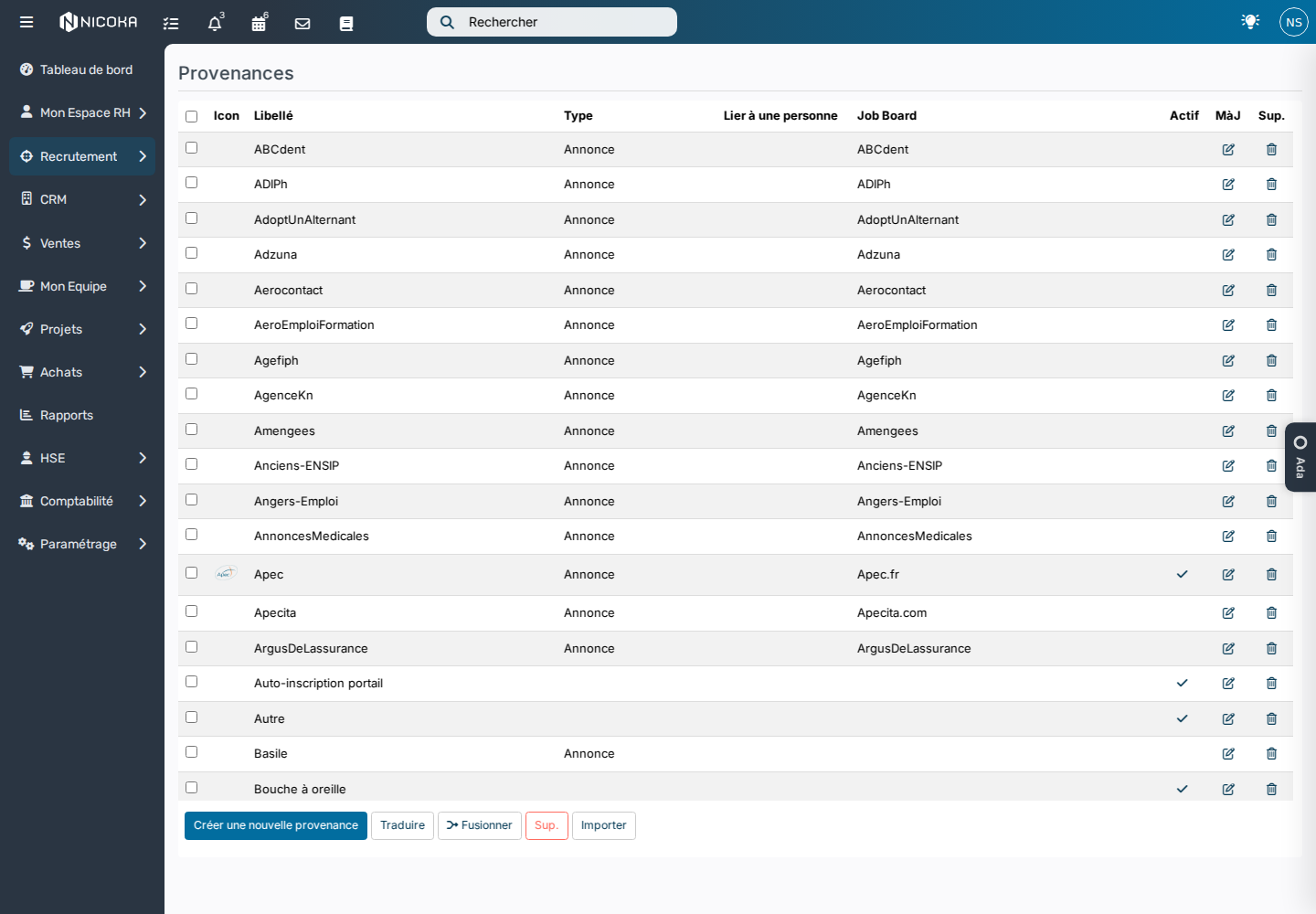
If a source already exists for your site, keep it: just check that it is ticked Active, otherwise it does not appear in the drop-down lists.
Step 2: apply it to your site's applications
- In the left-hand menu of the ATS customizing, click Customizing Points.
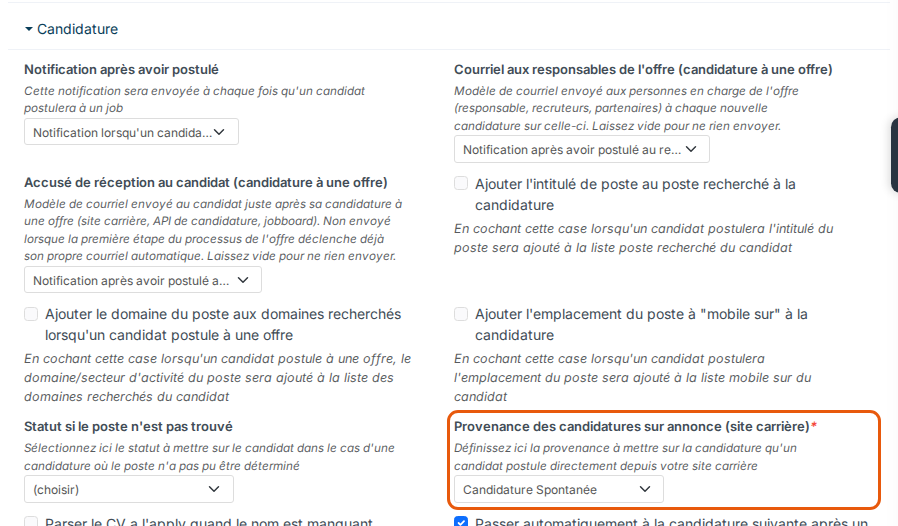
- Expand the Application section, then choose your source in Apply on job offer default source (career site): it applies to candidates who apply to a job.
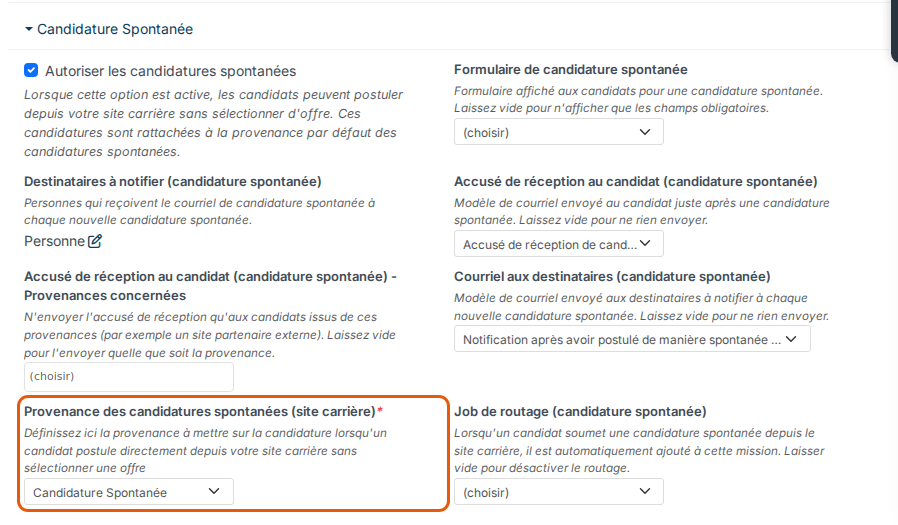
- Expand the Open Applications section, then choose the same source in Default application source for direct career site applications: it applies to candidates who apply without choosing a job.
- Click Save, at the bottom of the page.
What changes
- Every new candidate who applies on your site, to a job or as an unsolicited application, carries this source, and so does their application.
- A candidate already in your database who applies again keeps their original source on their record (Indeed, for example); only their new application carries the site source. If they had no source, they get the site one.
- Unsolicited applications received by email keep the Unsolicited Application source: your two channels are now told apart in your reports.
- An application that sends its own source keeps it: a job board connected to Nicoka, or an unsolicited application link tied to a source (job fair, school, partner).
- When no source is sent, Nicoka looks at where the candidate comes from: a candidate arriving from a job board's site (LinkedIn, Indeed, Apec, Welcome to the Jungle…) gets that job board's source, provided it is active in your sources. This covers jobs that Welcome to the Jungle relays to LinkedIn. A utm_source parameter carrying the name of one of your sources does the same, for example utm_source=Indeed.
- When you paste a job link on a job board, do not add ?source= to it: that parameter forces its source on every application, whatever site it comes from.
The setting applies to applications received after it is saved: candidates already in your database keep their source. To group your history under the new source, contact support.