Connecting Pipedrive to Nicoka
The Pipedrive connector brings the records of your Pipedrive company into Nicoka:
- An organization created in Pipedrive becomes an account in Nicoka, and a person becomes a contact, attached to the account of their organization.
- A change made in Pipedrive updates the Nicoka record, on the fields you choose.
The connector only receives: it writes nothing to Pipedrive, and Pipedrive deals and activities are not imported. These settings require Nicoka administration rights and a Pipedrive administrator account.
Step 1 – Copy the API token of a Pipedrive administrator
- Log in to Pipedrive with an administrator user.
- Click your name at the top right, then Personal preferences > API.
- Copy the personal API token.
Nicoka only receives the organizations and persons this user sees in Pipedrive: with the token of a user who only sees part of them, only that part arrives. If this user regenerates their token, the connection stops: paste the new token in the configuration (step 3).
Step 2 – Connect the company in Nicoka
- In the side menu, open Settings > Integrations.
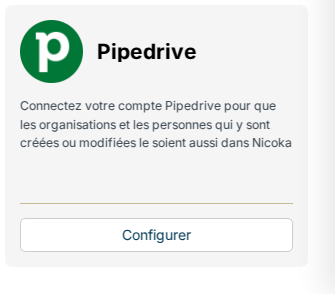
- On the Pipedrive tile, click Configure.
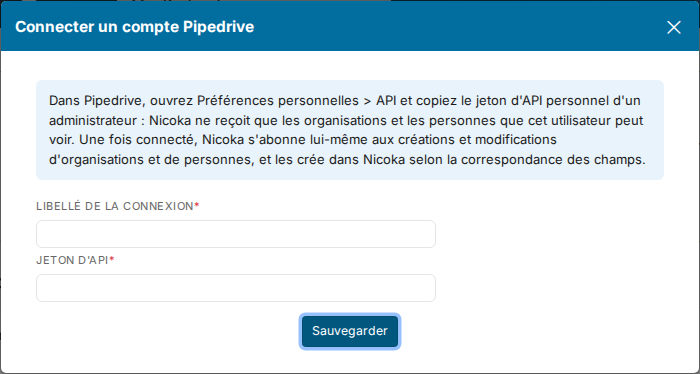
- Click Connect a company, enter a free connection label and paste the API token, then click Save. The token is checked against Pipedrive before saving: a rejected token creates no connection.
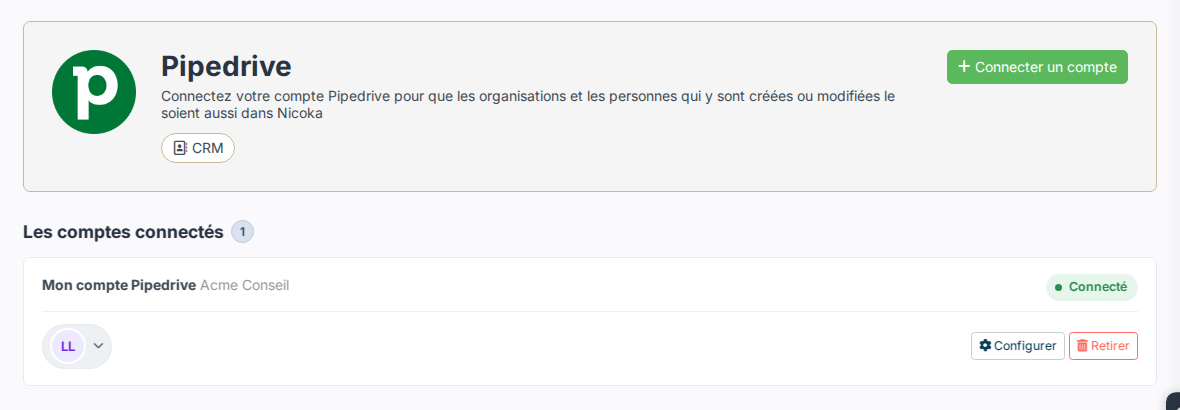
Once connected, Nicoka subscribes on its own to the creations and changes of organizations and persons: there is nothing to set up in Pipedrive. Only one Pipedrive company can be connected to your Nicoka space.
Step 3 – Set up the field mapping
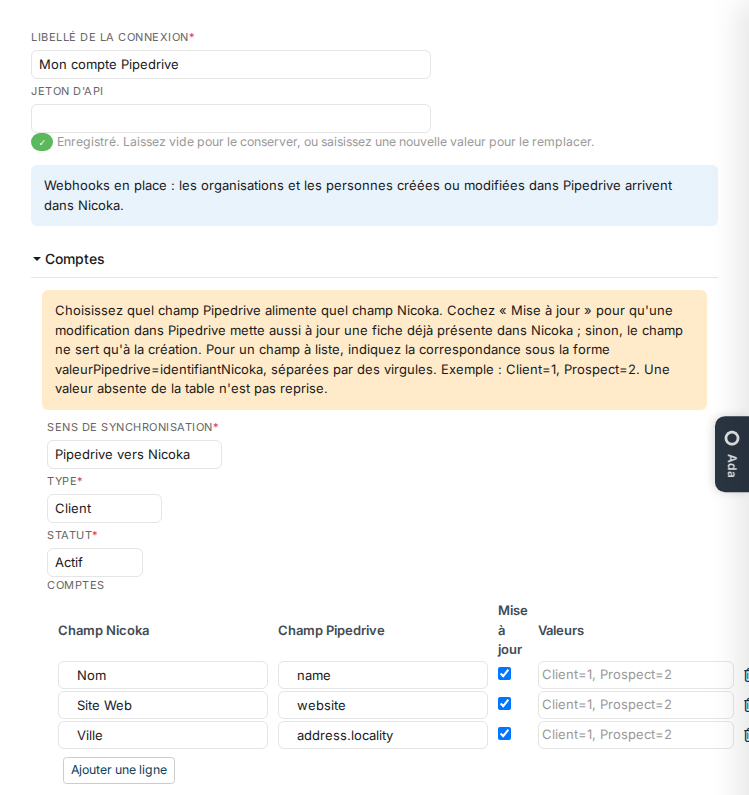
Click Configure on the company's row. The blue frame confirms that Nicoka receives the creations and changes. If it is orange, Pipedrive refused the subscription and the frame gives the reason: most often, the token is not an administrator's. Then paste an administrator's token and click Save to try again.
The window has an Accounts section and a Contacts section:
- Synchronization direction: Pipedrive to Nicoka, or Do not synchronize to stop receiving this type of record.
- Type and Status of accounts, Status and Source of contacts: the values given to the records created, which Pipedrive does not carry. As long as the type and the status are not chosen, no record is created.
- The mapping table: for each row, the Nicoka field to fill and the Pipedrive field that fills it, your Pipedrive custom fields included. An address splits into parts:
address.localityfor the city,address.postal_codefor the postcode,address.countryfor the country. The company starts with the name and website of organizations, and the first name, last name, email and phone of persons. - Update: ticked, a change in Pipedrive also updates the record already in Nicoka; unticked, the field only feeds the creation.
- Values: for a list field, the mapping Pipedrive value = Nicoka id, for example
Client=1, Prospect=2. A value missing from the table is not imported.
Click Save to save the configuration.
Import the records already in Pipedrive
The subscriptions only bring what is created or changed after the connection. To import the organizations and persons your Pipedrive company already holds, contact Nicoka support once the mapping is set: the import runs in the background, and a record already in Nicoka is found again, never duplicated.
Good to know
- The account of a contact comes from their Pipedrive organization, created along the way if it is not in Nicoka yet. A contact who already has an account keeps it, even if the person moves to another organization in Pipedrive.
- A record already in Nicoka is found by its SIRET or its name (account), or by its email (contact). Two Pipedrive organizations with the same name, or two persons with the same email, are not merged: only the first one is imported.
- A deletion in Pipedrive deletes nothing in Nicoka.
- The job title, postal address and birthday of a person are only offered if contact sync is enabled on your Pipedrive company.
- Removing the company in Nicoka also deletes its subscriptions in Pipedrive.