Connecting Qonto to Nicoka
Qonto is an online bank for businesses, with an invoicing tool. Once Qonto is connected to Nicoka, the invoices you issue in Qonto are imported into Nicoka with their lines and linked to the right customer account. They are marked as paid when Qonto receives the payment, and your customers stay in sync between the two tools according to the rules you choose.
Before you start
- You have access to Customizing > Integrations in Nicoka.
- You have Qonto access to your company's client invoices: you sign in to Qonto with your own credentials during the connection.
- One Qonto connection matches a single invoicing company in Nicoka, among your own companies. If you invoice from several companies, connect one Qonto account per company.
- Imported invoices get a sales invoice type that must have a workflow: the default type of your instance, or the one you choose in the configuration.
1. Connect Qonto
- In the side menu, open Customizing > Integrations.
- On the Qonto card, click Configure, or Add your account if a Qonto account is already connected.
- In the panel that opens, click Connect my Qonto account.

- You are redirected to Qonto. Sign in with your Qonto credentials, then allow Nicoka to access your clients and client invoices.
- Back in Nicoka, the configuration of the connection opens: go on to the next step.
The account then shows in the connected accounts, named Qonto (your company). If the Qonto card does not show, write to support@nicoka.com to have it enabled on your instance.
2. Configure the connection
Until an invoicing company is chosen, the connection imports and sends nothing. Later on, the Configure button of the account, in the connected accounts, opens the same window again. Save your settings with Save.
Invoicing company and start date
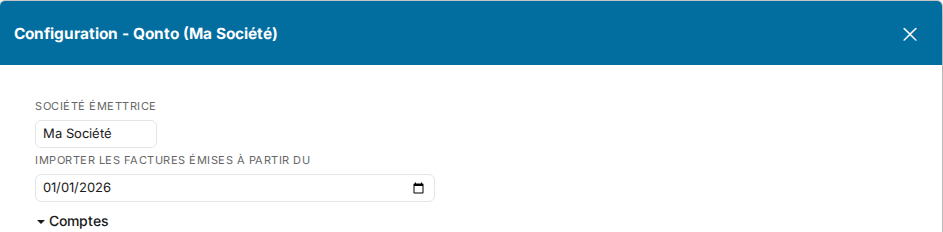
- Invoicing company: the Nicoka company that matches this Qonto account. The list only offers your own companies, and a company can only be linked to one Qonto account.
- Import the invoices issued from: only the invoices issued in Qonto from this date are imported. By default, January 1 of the current year.
Accounts
This section sets the synchronization of your customers. Its title follows the name your instance gives to accounts.
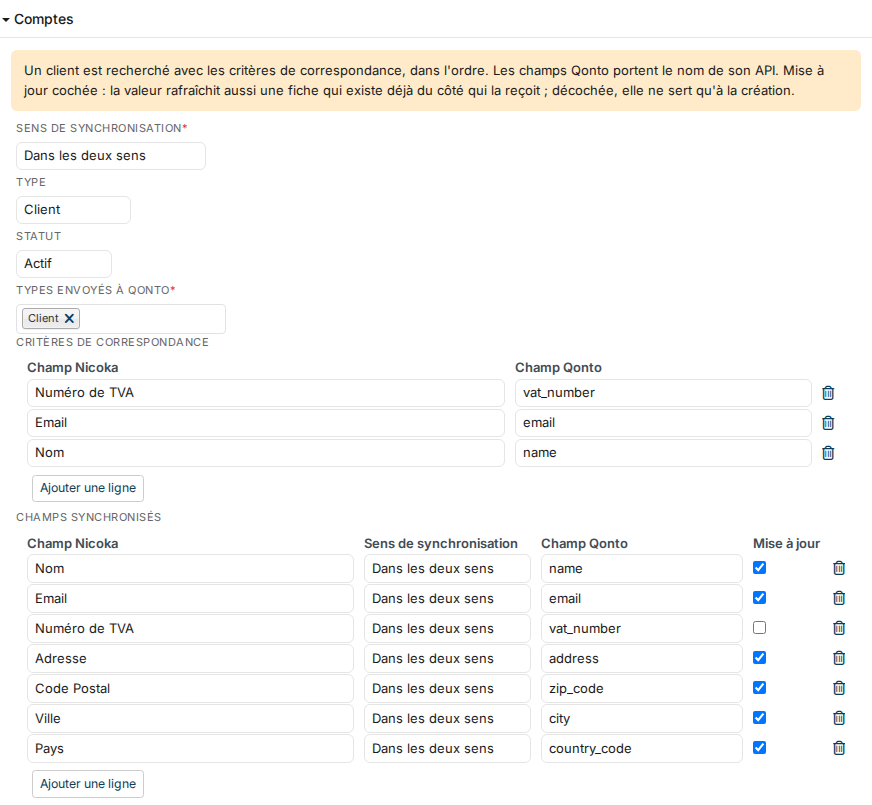
- Synchronization direction: No synchronization, Qonto → Nicoka, Nicoka → Qonto or Both ways (default).
- Type and Status: the ones given to an account Nicoka creates from a Qonto client. They are required for Nicoka to create accounts from Qonto.
- Types sent to Qonto: only accounts of these types go to Qonto (Customer by default). Your prospects or suppliers do not become clients there.
- Matching criteria: how Nicoka recognizes a client that already exists on the other side, criterion by criterion, in order. By default: VAT number, then email, then name.
- Synchronized fields: for each row, the Nicoka field, the direction and the Qonto field, named as in the Qonto API. With Update ticked, the value also refreshes a record that already exists; unticked, it is only used at creation.
When the direction sends accounts to Qonto, an account saved in Nicoka goes there shortly after it is saved, provided its type is among the types sent and it is not linked to another of your companies.
Invoices
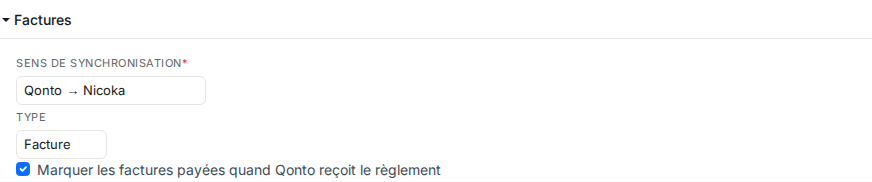
- Synchronization direction: Qonto → Nicoka (default) imports into Nicoka the invoices issued in Qonto; No synchronization stops the import.
- Type: the sales invoice type given to imported invoices. Left empty, Nicoka uses the default type.
- Mark invoices as paid when Qonto receives the payment: Nicoka records on the invoice the payment Qonto reconciled, and the invoice moves to paid. This option is off by default.
3. Find the imported invoices
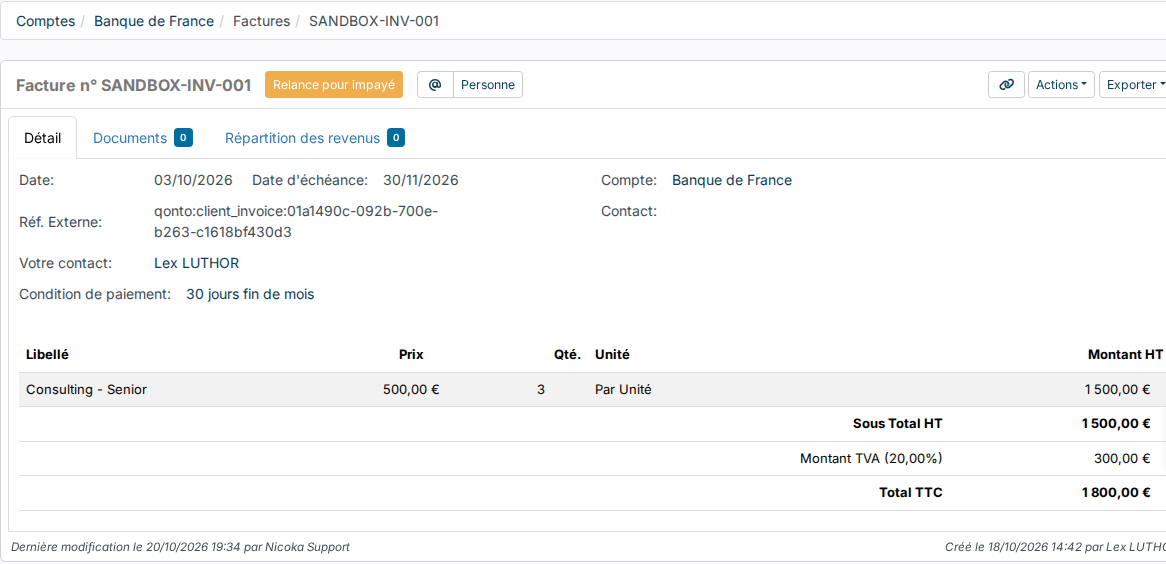
The synchronization runs automatically in the background, every two hours. Each invoice issued in Qonto since the start date is created in Nicoka with its number, issue and due dates, lines and amounts excluding tax, VAT and including tax. Its customer account is found with the matching criteria, or created when it does not exist and accounts are imported from Qonto. The invoice arrives already issued, without going through draft, and its external reference starts with qonto:.
What is not synchronized
- Supplier invoices and credit notes.
- Qonto drafts and cancelled invoices, as well as invoices issued before the start date.
- Changes made in Qonto to an invoice already imported: it is not imported a second time.
- The payment of an invoice that already has a payment entered by hand in Nicoka: nothing is imported, so the payment is not counted twice.
Troubleshooting
The messages below show in the synchronization report.
- Qonto invoices cannot be imported: no default sales invoice type with a workflow. Choose a Type in the Invoices section of the configuration, or a default sales invoice type that has a workflow.
- No Nicoka customer matches the Qonto client …, and creating customers from Qonto is turned off. Set the accounts direction to Qonto → Nicoka or Both ways, or create the account in Nicoka with a value that meets the matching criteria.
- Choose the default customer type and status in the Qonto configuration: fill in Type and Status in the Accounts section.
- Paid in Qonto, but this invoice already has a payment entered in Nicoka: check the invoice and its payments by hand.
- This company is already linked to another Qonto account. A company can only have one Qonto account: choose another one or remove the other connection.
- The account shows Sync error: the access granted by Qonto may have expired or been revoked. Reconnect the account from the Qonto panel, then check its configuration.