Manage and share your HSE content
The HSE module (Health, Safety and Environment) centralizes your HSE content by domain (reference documents, instructions, news) and shares it with the employees concerned through a news feed.
Activate the module
The module is activated from Customizing > Store (HSE module). The side menu then offers HSE, with three entries: News Feed, Domains and Skills.
Create the domains
A domain gathers the content of one topic: safety at work, environment, internal procedures…
- Open HSE > Domains, then click the button to add a domain.
- Enter the domain's label, choose its color, then confirm.
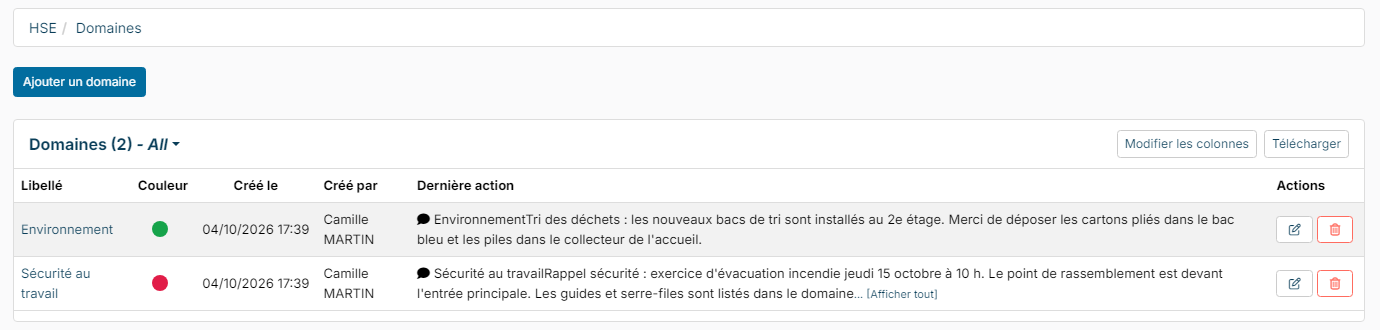
The list shows, for each domain, its color and its last post. Click a domain to open it: its page has two tabs, Documents and the partners tab.
Partners and their roles
In the partners tab, add the people concerned by the domain: employees, contacts (people outside the company), or groups (department, location, company, profile…) with the assign button. Each partner gets a role:
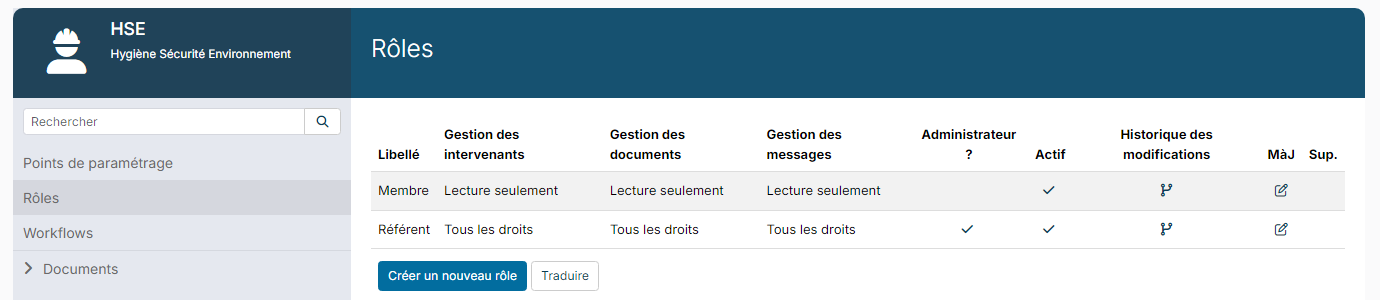
- Referent: all rights on the domain;
- Member: read only.
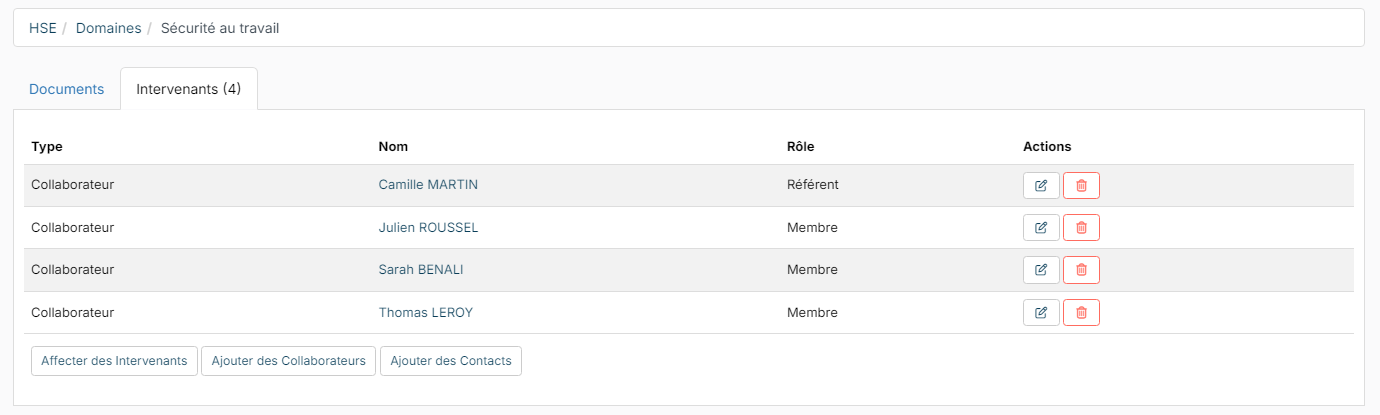
A domain with no partner is open to all employees.
Documents
The Documents tab is the domain's document base: create folders (Add a folder), then drop your files in them (Add a file) with their type and a description. Documents are versioned and can be downloaded. If a document approval workflow is set up, an approved document is automatically announced in the news feed.
The news feed
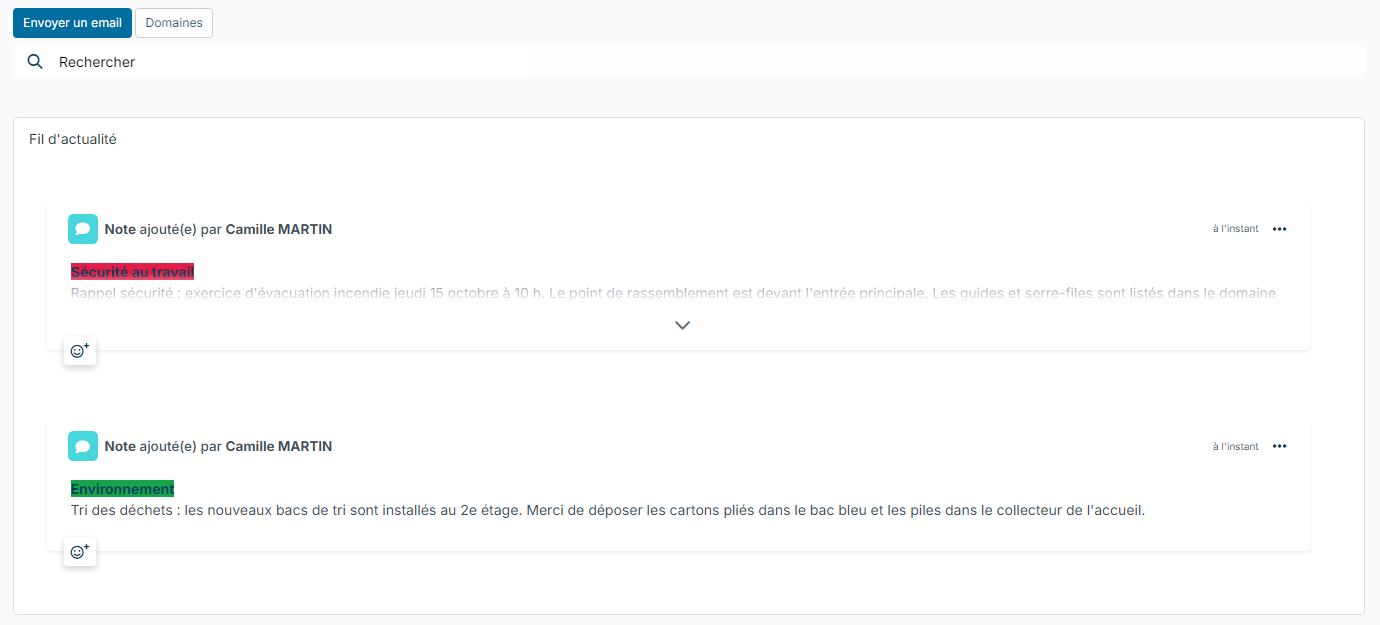
HSE > News Feed gathers the posts of all the domains you have access to, with a search.
- Click the post button at the top left (labelled Send a message).
- Choose the domain, write your message (formatted text, images), then click Save.
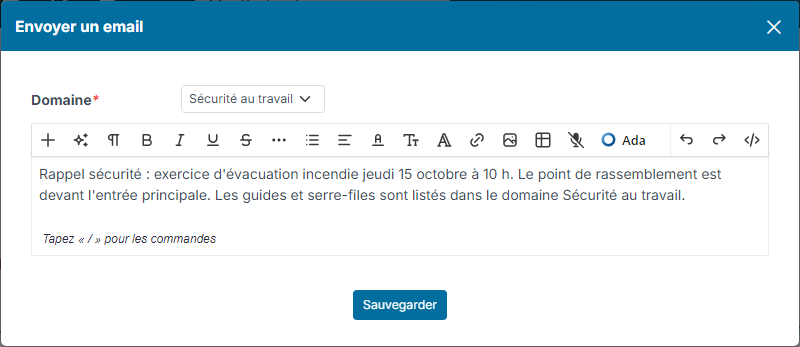
The note appears in the feed, with the color tag of its domain. Each person only sees the posts of the domains they have access to.
Skills
HSE > Skills shows the employees' skills for the skill categories chosen in the module settings (safety qualifications for example).
Set up the module
In Customizing, open HSE:
- the customizing points: the role given by default to new partners, the allowed document sources and the skill categories followed;
- the roles: the rights of each role on partners, documents and messages (no rights, read only, read and update, all rights), and the Is Admnistrator box. You can create other roles;
- Workflows: the document approval workflow;
- Documents: the document types.
The HSE module is also available in the Nicoka mobile app.