Name format: choose how first and last names are displayed
The Name Format setting decides how Nicoka writes people's names: candidates, contacts and employees. It sets the order of the first and last name, and how the last name is written: all in capitals ("PRUVOST") or with a single initial capital ("Pruvost").
It also applies to the variables of your email templates. With a capitals format, the {Last name} variable shows "PRUVOST", however the name was typed. With a format without capitals, it shows "Pruvost", even for a name stored as "PRUVOST".
This setting applies to the whole instance and is made from the customizing menu, available to administrators.
Change the name format
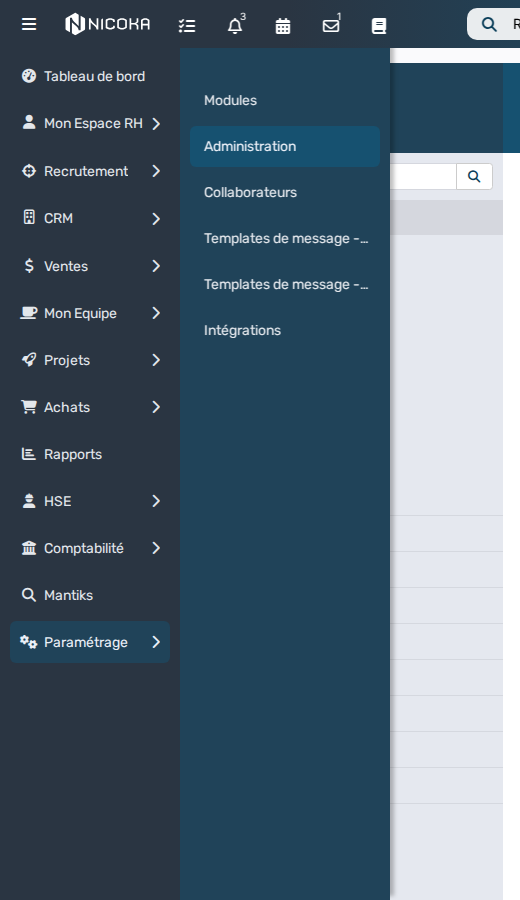
- In the left menu, open Customizing, then click Admin.
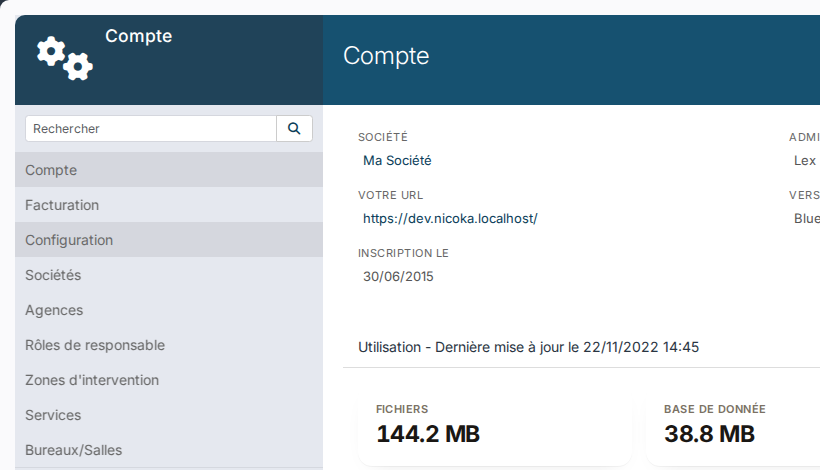
- In the left column, click Settings.
- In the Name Format list, choose the format you want.
- Click Save, at the bottom of the page.
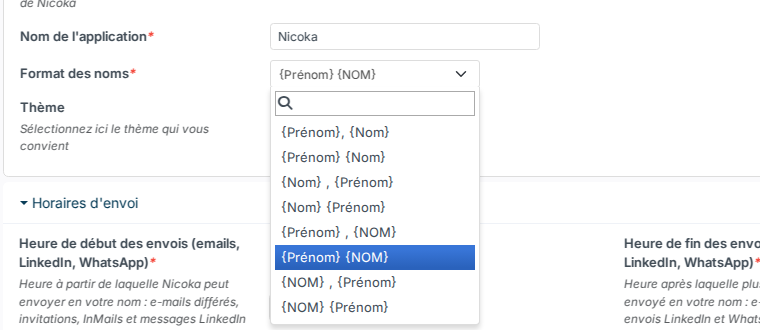
Available formats
{Last name} writes the last name with an initial capital, {LAST NAME} writes it all in capitals. Example for Pierre Pruvost:
| Format | Display |
|---|---|
| {First name}, {Last name} | Pierre, Pruvost |
| {First name} {Last name} | Pierre Pruvost |
| {Last name} , {First name} | Pruvost, Pierre |
| {Last name} {First name} | Pruvost Pierre |
| {First name} , {LAST NAME} | Pierre, PRUVOST |
| {First name} {LAST NAME} | Pierre PRUVOST |
| {LAST NAME} , {First name} | PRUVOST, Pierre |
| {LAST NAME} {First name} | PRUVOST Pierre |
Good to know
- Your email templates need no change: the Last name variable follows the format as soon as it is saved, for every name, old and new.
- Names already stored are not rewritten. The full name shown as the title of a record stays as it was typed: a contact stored as "Pierre PRUVOST" keeps that title, while the Last name variable of your emails shows "Pruvost".
- New candidates are stored directly in the chosen format.
- Compound names: without capitals, each part of the name gets an initial capital. "DE LA FONTAINE" becomes "De La Fontaine", "LE-GALL" becomes "Le-Gall". After an apostrophe, the letter stays lowercase: "D'ALEMBERT" becomes "D'alembert".
Were this information helpful?