Taking a reference on a candidate
The References tab of the candidate profile lists the people who can vouch for their work. When the person already exists in the CRM, the reference is linked to their contact record: their details fill in by themselves, and the number they give you completes their record.
Create a reference
- Open the candidate profile, References tab, then click Add a Reference.
- Choose the Account: the company where the candidate worked with the person. The + button creates the company if it is not in the CRM yet.
- In Last & First Name, type the first letters of the name: the company's contacts come first.
- Pick the person: Title, Email and Phone 1 fill in from their contact record, and the reference is linked to it.
- Complete the relationship, the dates you worked together and your comments, then save.
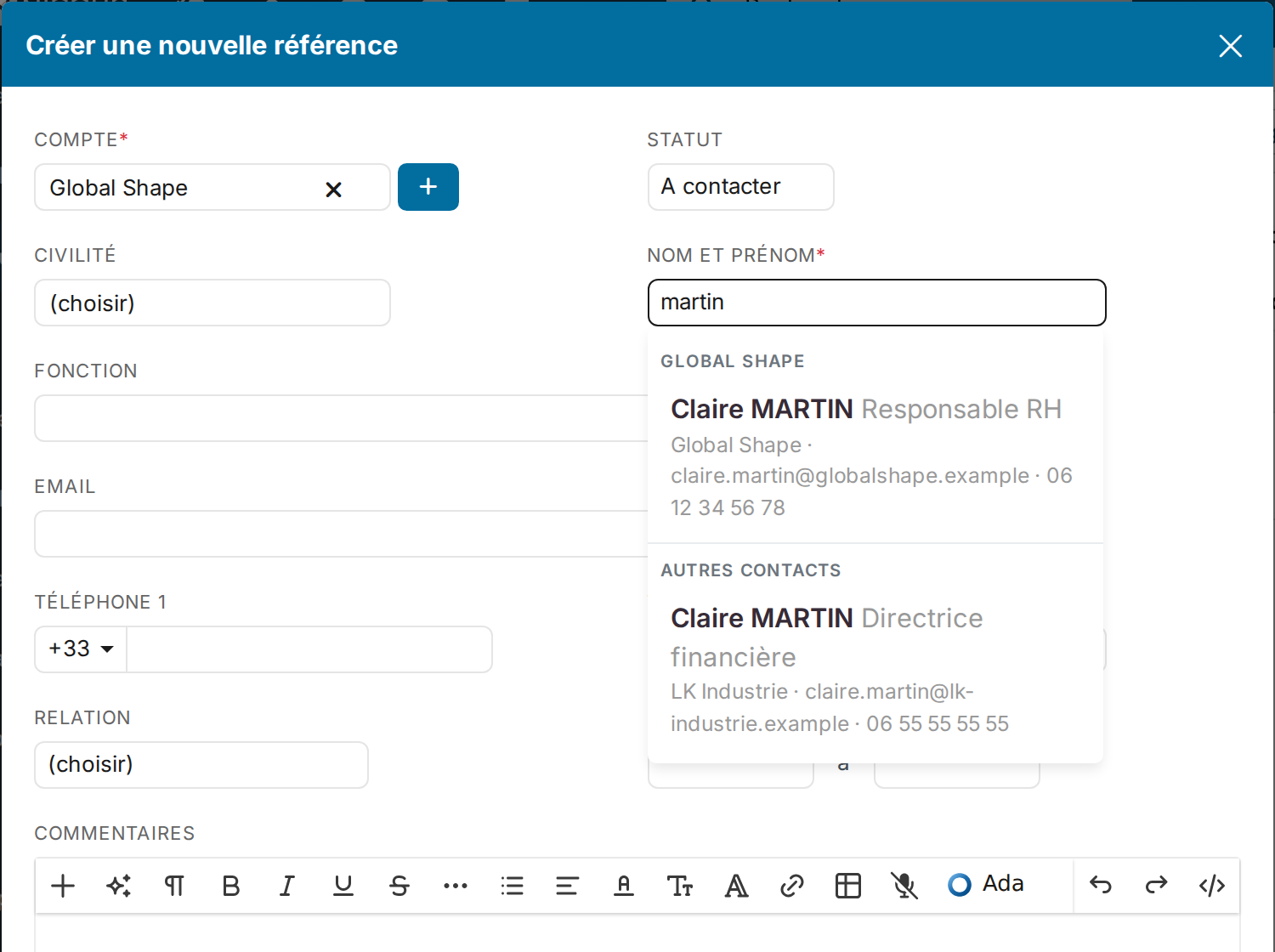
Reading the contact list
- The contacts of the chosen company come first, under its name.
- Under Other contacts come the people of other companies matching what you typed. Handy when the person has changed employer since: the reference keeps the company where you worked together and is linked to their current contact.
- Each line shows the contact's job title, company, email and phone: two namesakes read apart at a glance, and you spot the most complete record.
- Contacts already used in another reference of the same candidate are not offered.
The person is not in the CRM? Just type their name and details. The Convert into Contact button of the line, in the references grid, then creates their contact record.
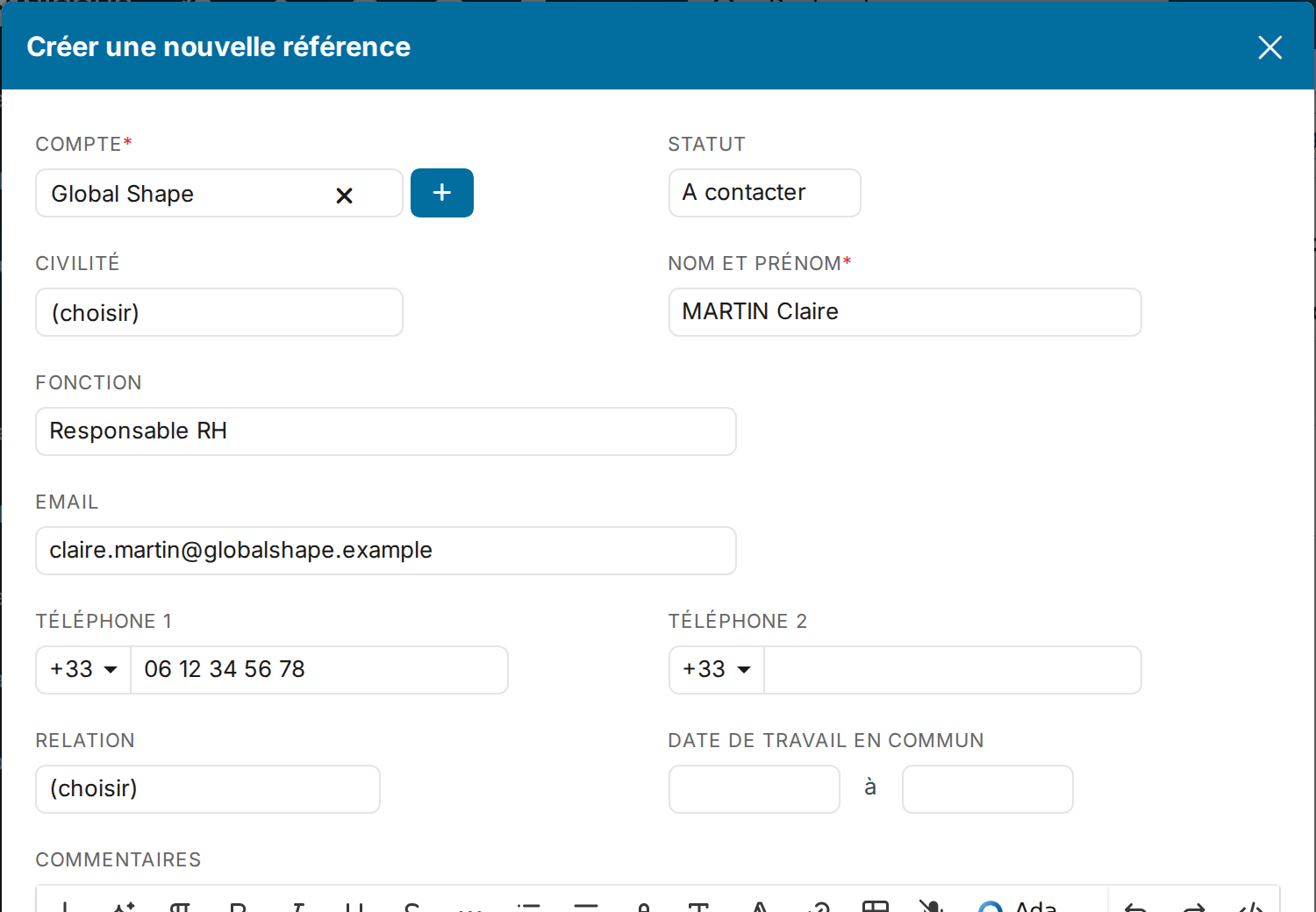
The phone number given completes the contact record
A person contacted for a reference often gives their direct line. On save, the number entered in the reference's Phone 1 is copied to the linked contact's record:
- into Phone 1 when the contact's one is empty;
- otherwise into Phone 2 when it is empty;
- otherwise nowhere: none of the contact's numbers is ever replaced, and the number stays readable on the reference.
The number is not copied when the contact already has it (even written differently, with or without the country code), when another contact already carries it (the company switchboard for instance), or when you are not allowed to edit contacts.
Finding the references from the contact record
The contact record can show a References tab: the candidates the person gave a reference for. If it does not show, an administrator enables it in the CRM settings, Contacts section, Menu Display.