Employee sheet sections: View and Edit rights per profile
The employee sheet is split into sections: Personal data, Emergency contacts, Accreditations, Means of transportation, Trainings… Each section carries two rights per profile: View the section and Edit the section.
Where section rights are set
Open Settings > Employees > Settings points, then Sections in the Employee group. The list shows each section with the profiles that can see it and those that can change it.
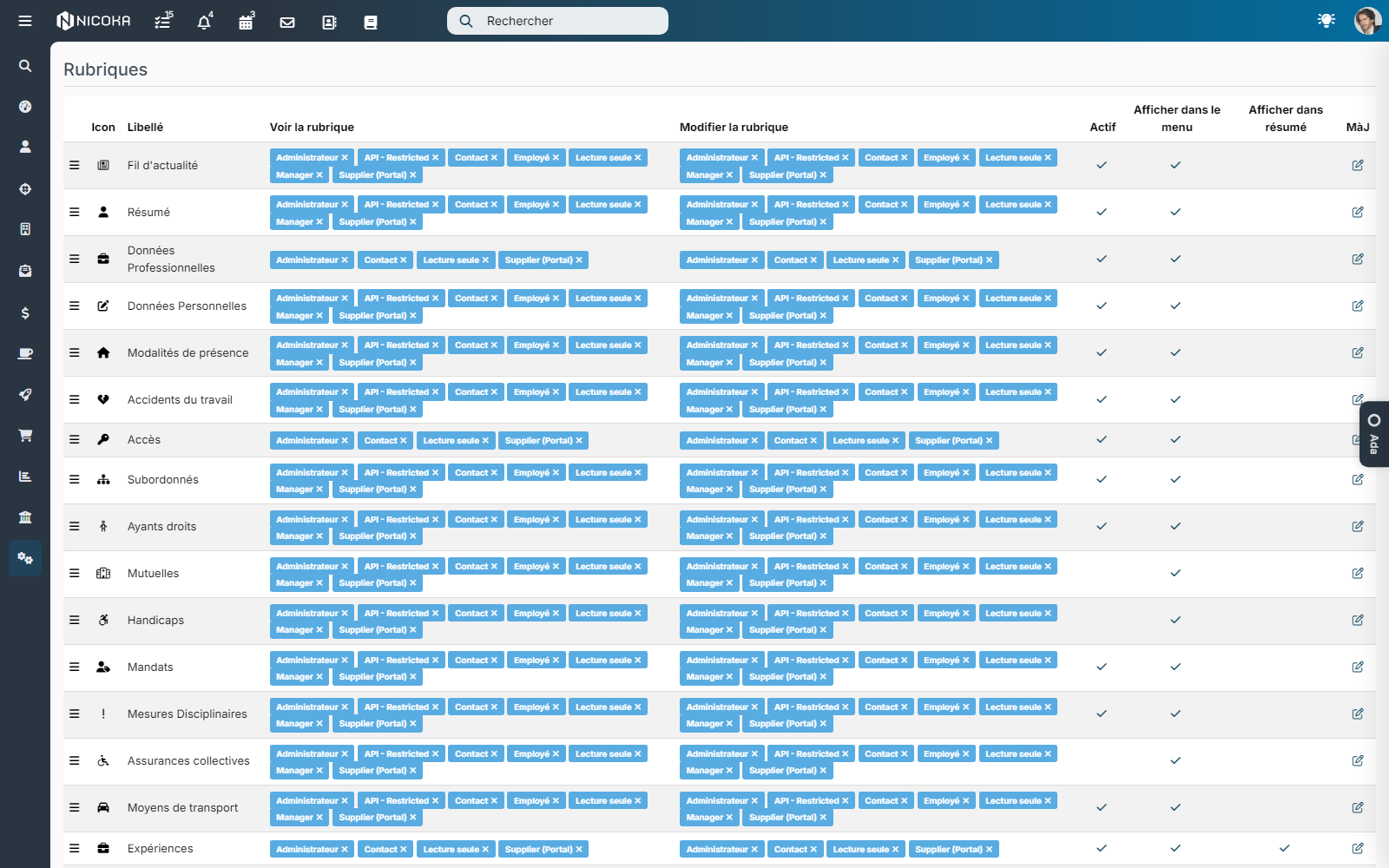
Click the pencil of a section to open the Edit Section window: one line per profile, a View the section box and an Edit the section box. For the sections employees manage themselves on their sheet, the column is named Edit on other sheets and a note under the list recalls the rule.
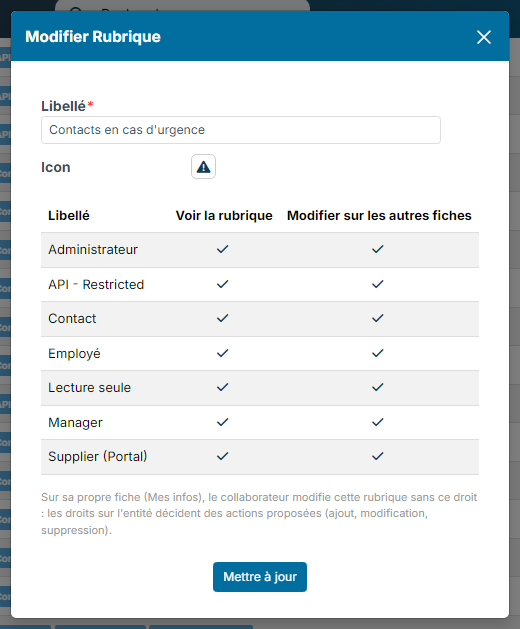
What the two rights do
- View the section: the section shows up on the sheets the profile can open (their team for a manager, everyone for an HR administrator).
- Edit the section: the profile can add, change and delete items of this section on those sheets.
The entity rights (Settings > Rights & Profiles: create, update, delete on Emergency contact, Mean of transportation…) still apply: an action removed from the profile on the entity is never offered, even with Edit the section.
Their own sheet: View is enough
For the Emergency contacts, Means of transportation, Accreditations and Attendance terms sections, the Edit right is not needed for employees to change their own data from My space > My info: View the section is enough, and the entity rights decide which buttons are offered (add, edit, delete).
You can therefore let a manager read the emergency contacts of their team without being able to delete them, while they still manage their own.
For the other sections, the Edit the section right remains required, including on one's own sheet.
Example: the manager reads, the employee manages their contacts
- In Sections, open Emergency contacts.
- For the Manager profile, keep View the section ticked, untick Edit on other sheets, then save.
- In Rights & Profiles, check that the Manager profile keeps create, update and delete on the Emergency contact entity.
Result: on a team member's sheet the manager reads the contacts with no add, edit or delete button; in My info they add, edit and delete their own.
Good to know
- The Payroll Exports screen (button of the Employees list) has no right of its own in the profile: it requires Edit the section on the Salary section. Granting this right to a profile opens the payroll export to it, but also lets it view and change the salaries on the sheets it can see.
- If the My info layout (Settings > Layouts) makes a section read-only, it stays read-only whatever the profile rights.
- The rights also apply to actions called directly by their address: there is no way around them through the URL.