Add industries
Industries classify your accounts (customers, prospects, suppliers) and make your searches and analyses by industry easier. The list is managed in the CRM customizing; you can organise it as a tree, for example IT > Cybersecurity.
Open the list of industries
- In the side menu, open Customizing > Store, then click Customize on the CRM card.
- Expand the Customers section and click Industries.
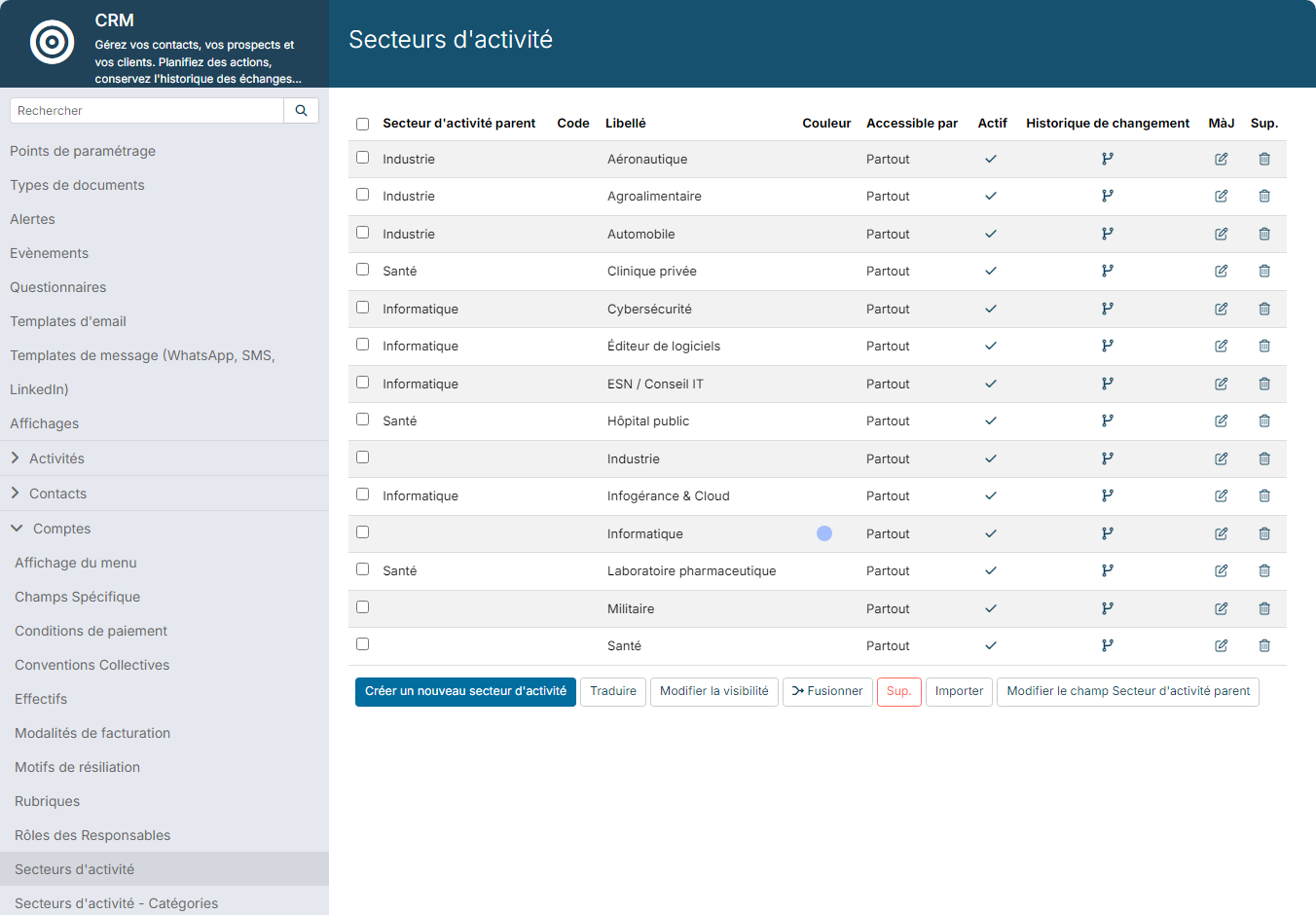
For each industry, the list shows its Parent Industry, its Code, its Label, its Color, the modules where it is offered (Available for) and whether it is Active. The change log icon shows the changes made to the industry.
Add an industry
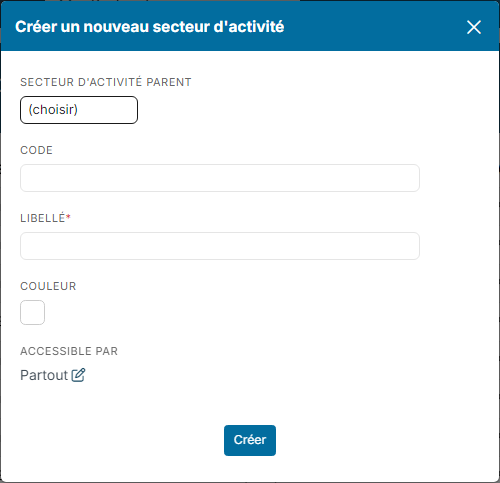
- Click Create a new Industry.
- If the industry belongs to a tree, choose its Parent Industry, for example Health for Private clinic.
- Enter a Code if needed, useful if you codify your industries for your exports.
- Enter the Label, as it will appear in lists.
- Choose a Color if needed.
- In Available for, leave Everywhere or click the edit icon to restrict the industry to some modules.
- Click Create.
The industry is immediately offered in the Industry field of records.
Edit or deactivate an industry
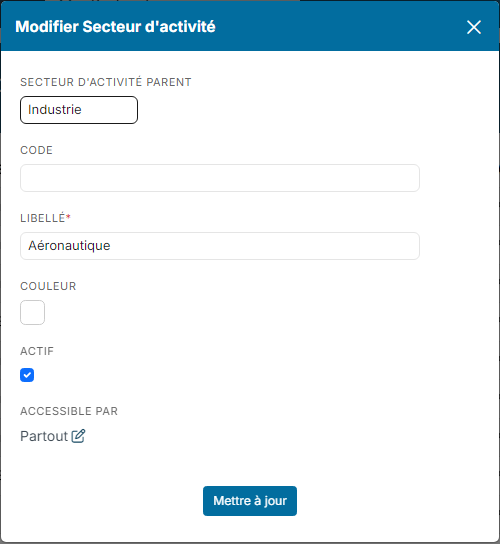
Click the edit icon of the industry. The window shows the same fields, plus the Active box: untick it to stop offering the industry, without changing the records that already use it. Click Update.
The code and the label can also be edited directly in the list.
Actions on several industries
Tick the industries you want, then use the buttons below the list:
- Translate: enter the labels in other languages;
- Change Visibility: change the Available for field in one go;
- Merge: group duplicate industries;
- the delete button: delete the ticked industries;
- Upload: create your industries from a file;
- Bulk update field Parent Industry: attach several industries to the same parent.
Good practices
- Choose clear and consistent labels; avoid vague labels such as "Services".
- Limit the depth of the tree to the levels useful for your analyses.
- Rather than deleting an industry in use, deactivate it or merge it with another one.