Prevent administrators from self-approving leave requests
When the person in charge of approving a step of the approval workflow is the author of the request, Nicoka approves that step automatically. This is the case, for instance, of an administrator or a manager who is among the approvers of their own leave: their requests go through without any check. The Exclude Requester option prevents this.
Tick "Exclude Requester"
- In the side menu, open Customizing > Store, then click Customize on the TimeOff card.
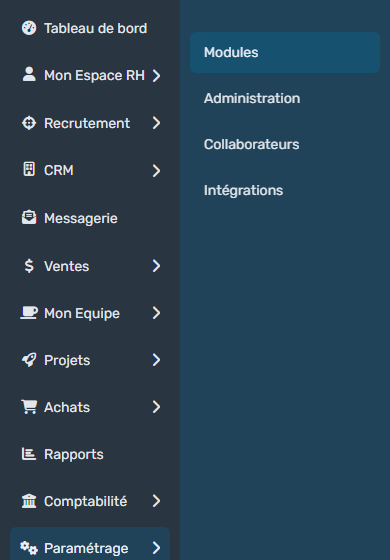
- In the module menu, click Workflows.
- Under the leave request approval workflow, find the approval step, for instance the manager approval step, and click the icon in the Upd. column of that row.

- In the Update Workflow Step window, tick Exclude Requester.
- Click Update.
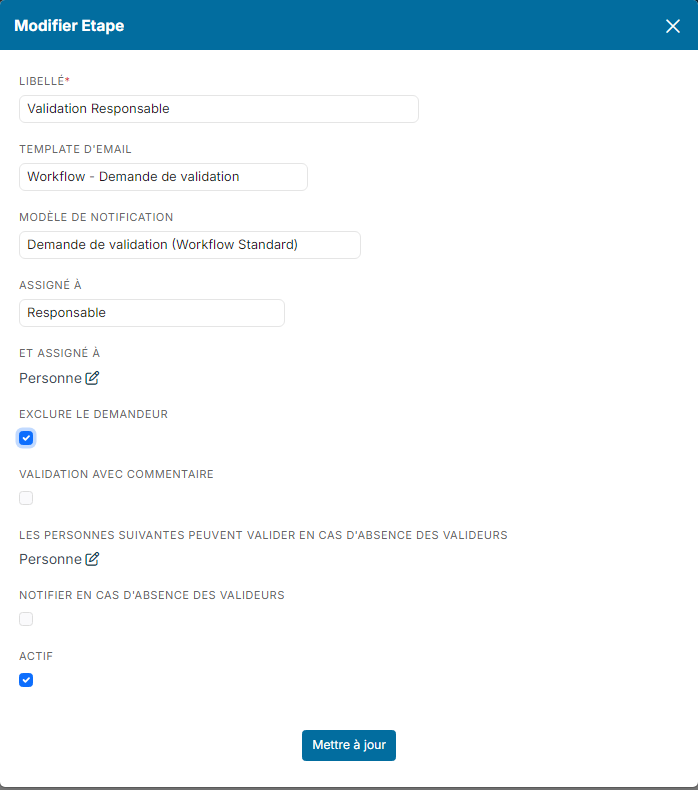
If your workflow has several steps, do the same for each one: the option is set step by step, and it exists on the steps of every workflow in Nicoka.
What changes
- The author of the request is removed from the step's approvers. The request is approved by the other people planned.
- If the author is the only possible approver for the step, they cannot approve their own request: Nicoka shows the message "The workflow (…) does not allow you to validate your own request".
In that case, plan another approver, for instance with the step's Also Assign To field, or set a manager on the record of the person concerned.
Learn more
Were this information helpful?