Send an acknowledgement email to candidates
An acknowledgement email reassures candidates that their application has arrived. Nicoka can send it automatically, right after each application to a job offer and, if you wish, after each open application.
To follow these steps, you need a profile with access to the module customizing.
Step 1: prepare the email template (optional)
Nicoka provides a ready-to-use template, Notification after apply to the candidate. To view or adapt it:
- In the side menu, open Customizing > Store, then click Customize on the ATS card.
- In the left-hand menu, expand the section named after your jobs (Jobs in the screenshots), then click Email Templates.
- Click Notification after apply to the candidate.
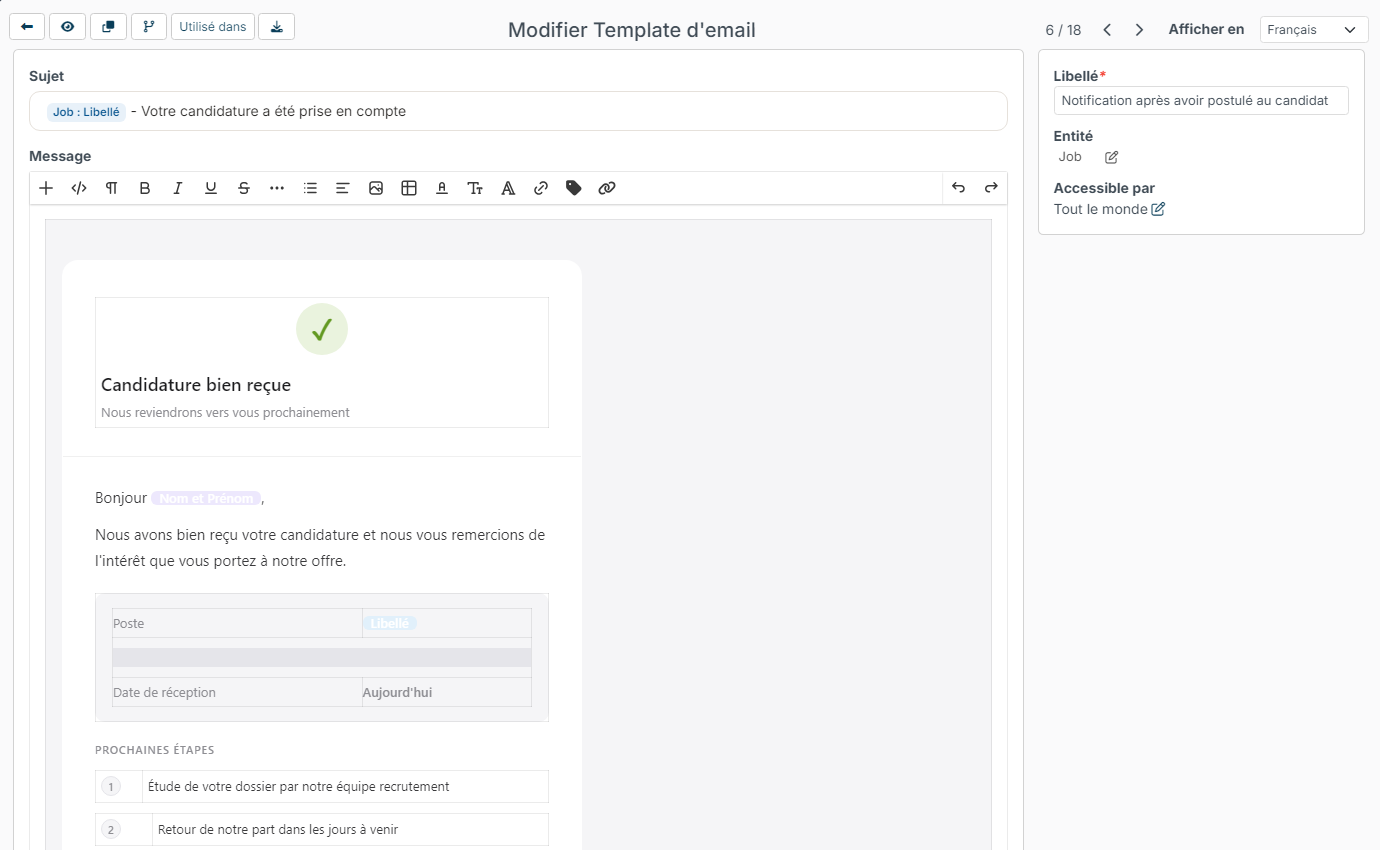
If the template suits you, go to the next step. Otherwise, you can edit it, or click the Copy icon at the top left to work on a copy that you rename. Dynamic fields (candidate name, job label…) are replaced when the email is sent. The Preview icon shows the result. To find out more, see Manage Email Templates.
Step 2: choose the sending mailbox
- In the left-hand menu of the ATS customizing, click Customizing Points (this screen opens by default).
- At the top of the page, choose the MailBox for notification.

If you leave this field empty, automatic emails are sent from noreply@nicoka.com. If the chosen mailbox is disconnected, they are also sent by Nicoka's mailing system.
Step 3: turn on the acknowledgement email
- Still in the Customizing Points, expand the Application section.
- In Acknowledgement email to the candidate (job application), choose the template from step 1.
- Click Save at the bottom of the page.
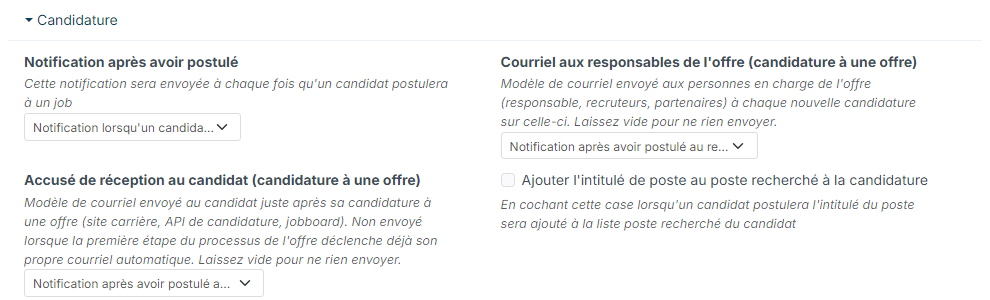
From now on, every candidate who applies to a job offer (from your career site, a job board or an application form connected to Nicoka) receives this email right after applying. Leave the field empty to send nothing.
Do not confuse this point with its neighbours in the same section:
- Notification on apply: the internal notification sent to Nicoka users for each application;
- Email to the job owners (job application): the email sent to the people in charge of the job offer (owner, recruiters, partners).
When the acknowledgement is not sent
An application lands on the Incoming applications step of the job's process or, if there is none, on its first step. If that step already sends its own automatic email (Notify candidate set to With Auto Mailing), Nicoka does not send the acknowledgement: the candidate only receives the step's email, not two messages. To set up a step, see Update the recruitment process.
Acknowledgement of open applications
Open applications, sent from your career site without choosing an offer, have their own settings, in the Open Applications section of the Customizing Points:
- Acknowledgement email to the candidate (open application): the template sent to the candidate right after an open application. Leave empty to send nothing;
- Acknowledgement email to the candidate (open application) - Allowed sources: to send the acknowledgement only to candidates coming from some sources, for example a partner site. Leave empty to send it whatever the source.
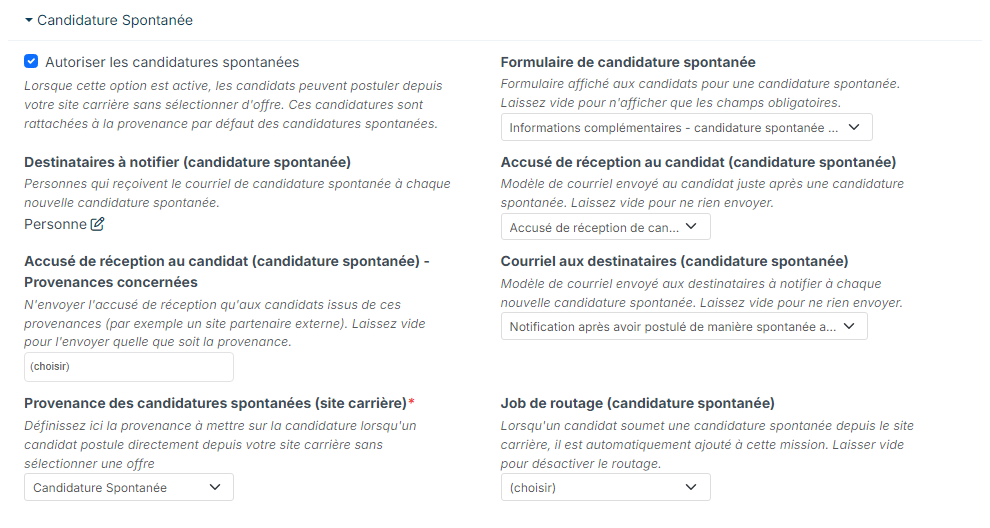
Click Save to record your choices.