Close a job and notify the candidates still in process
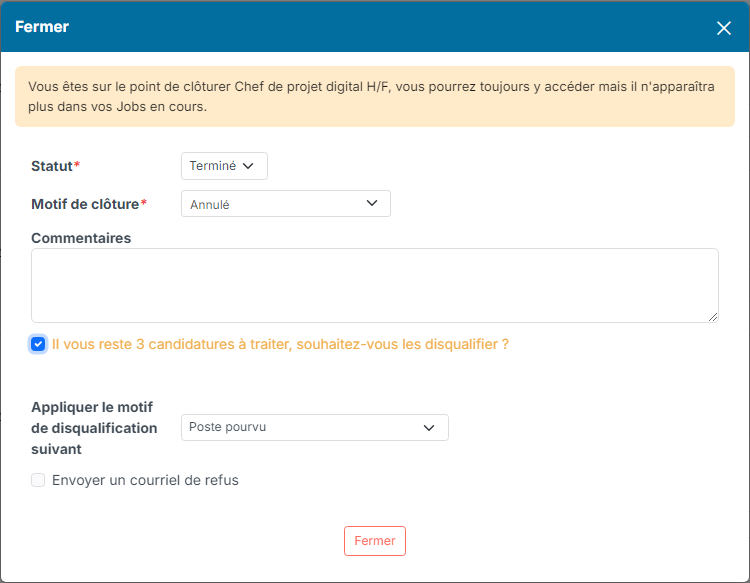
When you close a job, some candidates may still be in process. The closing window offers to disqualify them all at once and, if you wish, to let them know by email that the position has been filled.
Close the job from its page
- Open the job page and click its status at the top of the page, then pick the closing status (Completed, Cancelled…).
- Pick the Closing reason and add a comment if needed.
- If applications are still in process, the window says so: You still have N applications to be treated, do you want to disqualify all? Tick the box, then pick the disqualify reason to apply.
Notify the candidates by email
- Tick Send a disqualification email.
- Choose when the email should leave: Immediately, Today, Tomorrow, In 2 days or In 5 days.
- Check the sending mailbox and the Email template: the template attached to the disqualify reason is proposed by default, you can pick another one, for instance a template saying the position has been filled.
- Review the subject and the message, then click Close.
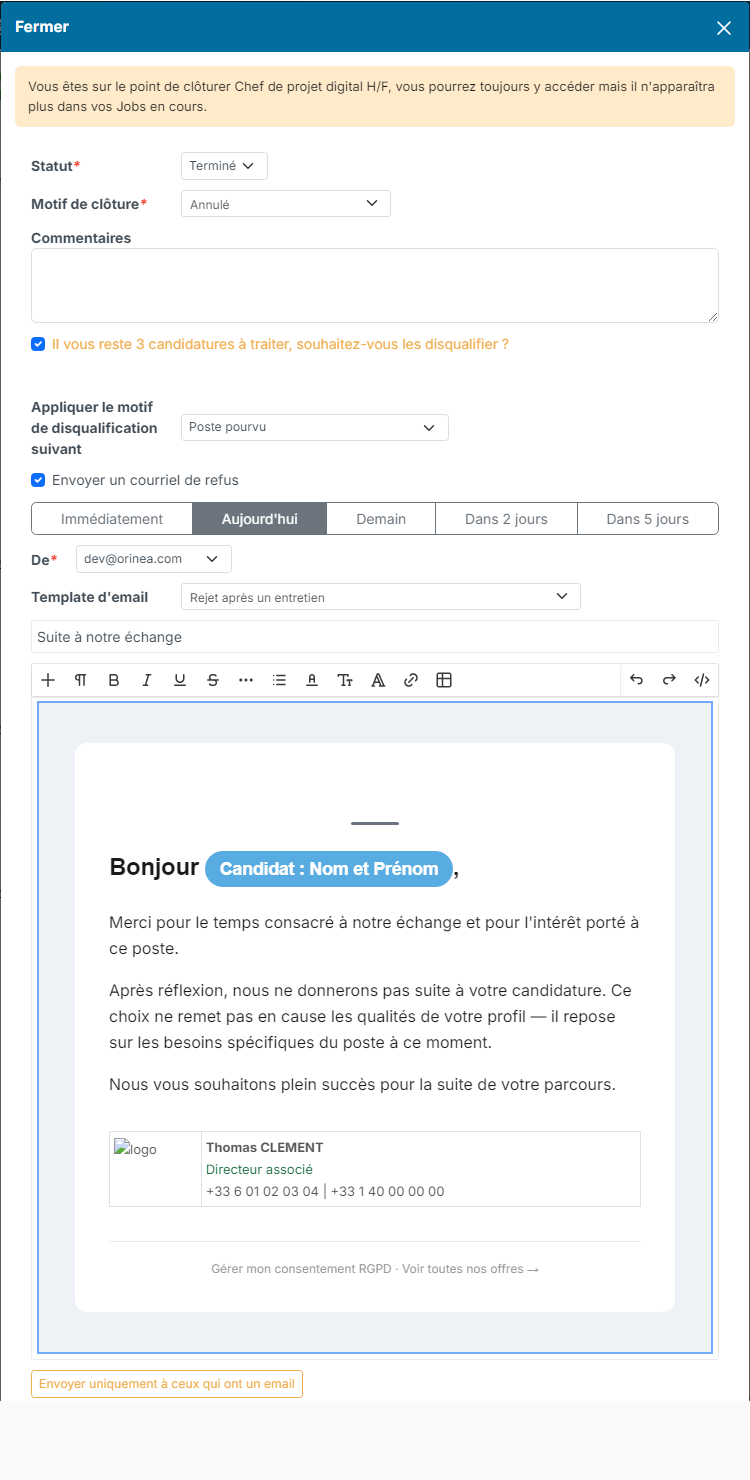
Each candidate receives the email with the details of their own application. If some candidates have no email address, a Send only to those with email button shows up: use it to close the job, those candidates are disqualified without any email. A candidate who opted out of emails is never written to.
The sending delays and the default template are described in Schedule the negative answer email (disqualification).
Child jobs and closing from the list
If the job has child jobs still open, the window offers to close them too: their applications in process are then disqualified, and notified, the same way.
The Close jobs action of the jobs list (several jobs ticked) only changes the status of the selected jobs: it leaves the applications untouched. To disqualify and notify the candidates, close the job from its page.