Create a Teams or Google Meet meeting from Nicoka
From your Nicoka calendar, you can schedule an online meeting: Nicoka creates the event in your Microsoft calendar (Teams meeting) or Google calendar (Google Meet meeting), and the attendees receive the invitation with the meeting link.
Before you start
- Your Office 365 or Gmail mailbox must be connected to Nicoka, with calendar synchronisation turned on. See Step 3 - Connect your email account.
- The OnLine Meeting box only appears for a calendar synchronised with Office 365 or Google.
Create the meeting
- In the top bar, click the calendar icon, then the link at the bottom of the list to show all events.
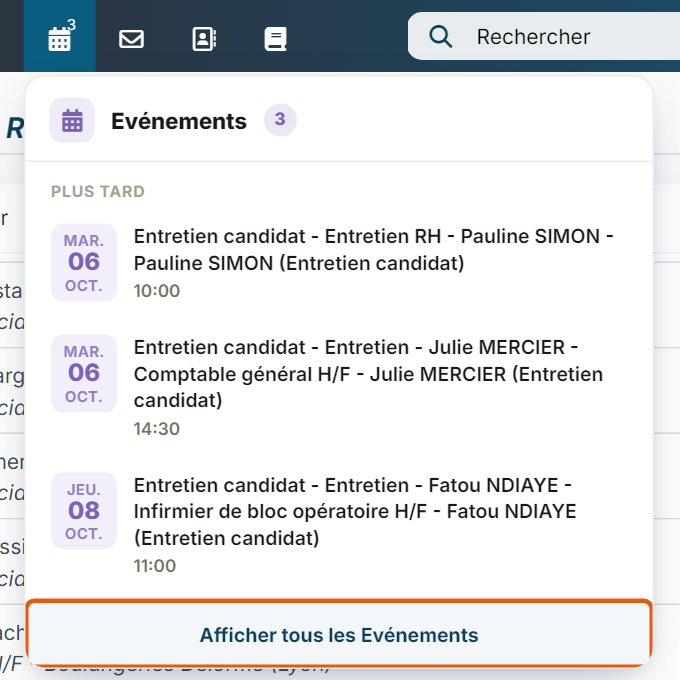
- In your calendar, click the day and time of the meeting. The event creation window opens.
- Choose the Type, enter the label and check the Start On and End On dates.
- Tick OnLine Meeting.
- In Attendees, type the name or email address of each person to invite, then select them in the list.
- In the email template field, choose the message sent to the attendees if needed.
- Click Create.
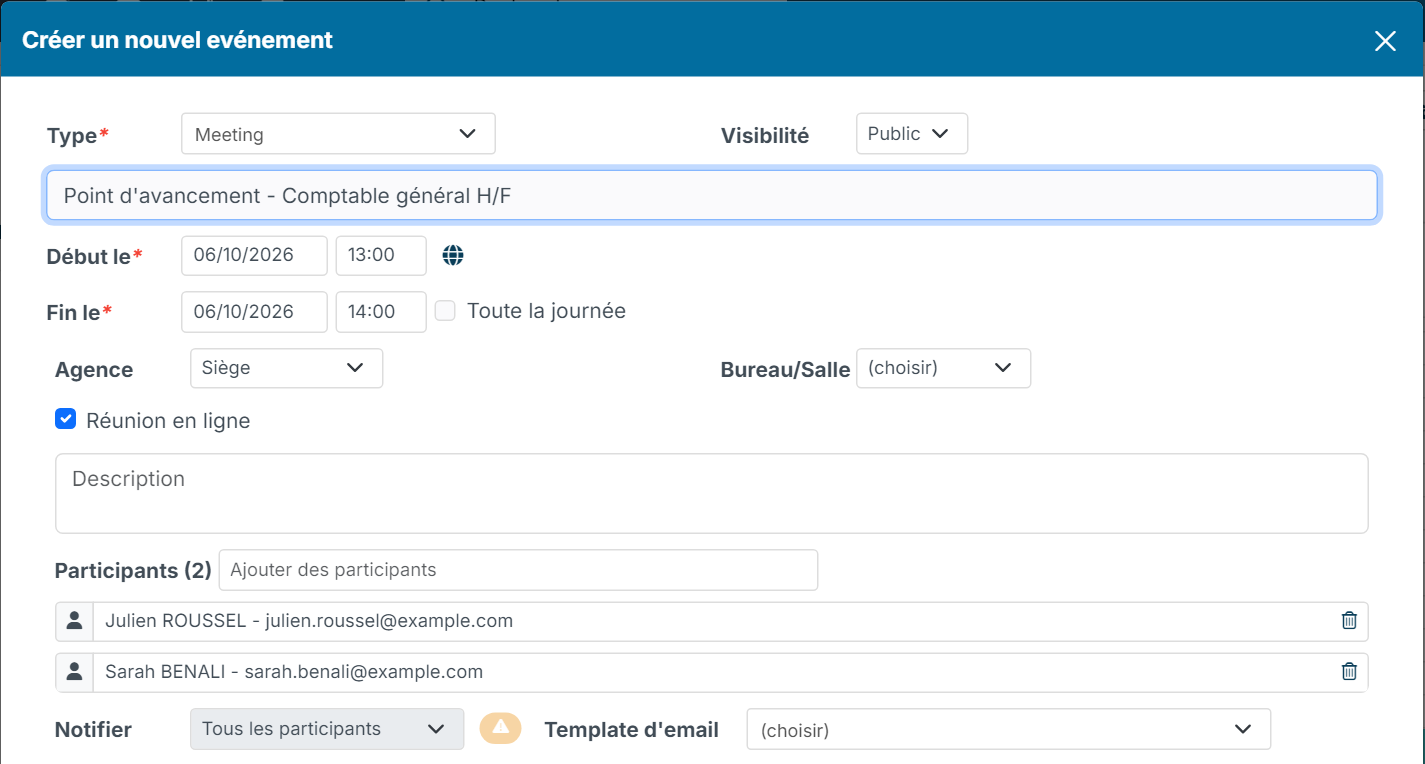
With an Office 365 or Google calendar, Notify is set to All attendees: your external calendar sends the invitation to each attendee itself. Attendees receive the meeting link by email or see it in their own calendar. Once the event is synchronised, the Join Meeting button is shown when you open the event in Nicoka.
Tick the online meeting automatically (administrators)
For event types that almost always take place remotely (a video interview, for example), the OnLine Meeting box can be ticked automatically:
- In the side menu, open Customizing > Admin, then the Agenda section > Event type.
- Click the edit icon of the type concerned. In the Location part, tick OnLine Meeting.
- Click Update.
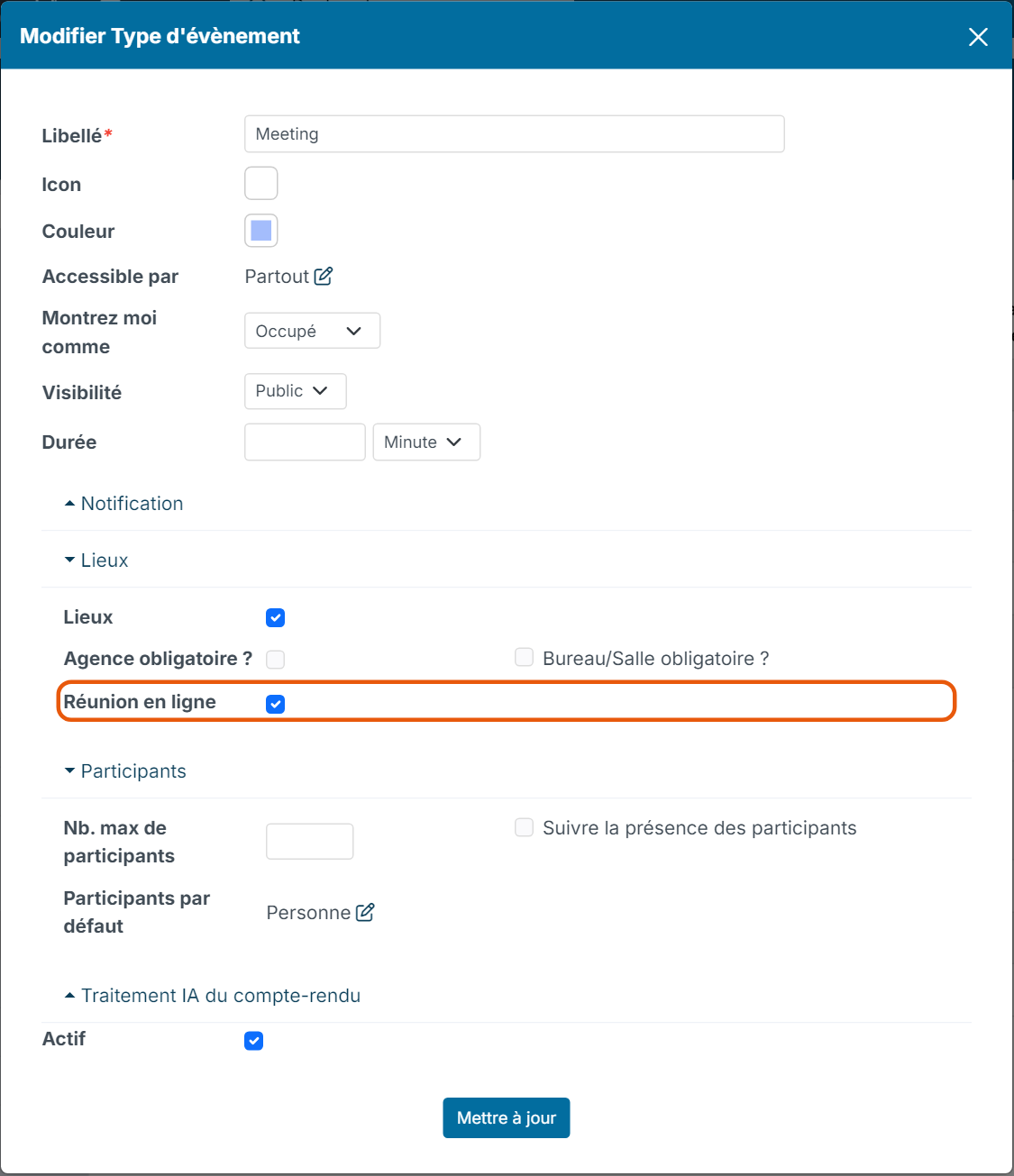
When a user chooses this type in the creation window, the OnLine Meeting box is already ticked. They can untick it.