Link a Nicoka account to Pappers
Pappers is a website with legal information on French companies. Linking a Nicoka account to its Pappers page lets you open that page in one click from Nicoka and, with the Nicoka extension for Chrome, update the account's information from Pappers.
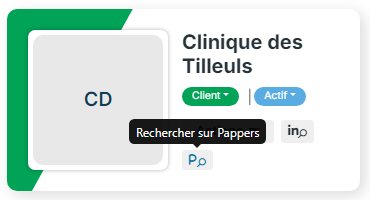
The Pappers button on the account record
At the top of the record of an account located in France, next to the LinkedIn button:
- if the account is not yet linked to Pappers, the Search on Pappers button runs a search on the account name in a new tab;
- if the account is linked to its Pappers page, the Pappers button opens that page directly.
Link an account to its Pappers page
When you view a company page on Pappers, the Nicoka extension looks for the matching account in Nicoka. If the account name in Nicoka differs from the name listed on Pappers, it may not find it. Link the two records yourself:
- On Pappers, open the company page and copy the full address of the page.
- In Nicoka, open the account's record, then the information tab.
- In the Social links block, paste the Pappers link in the dedicated field, then click Save.

The Pappers button of the account record now opens the company's Pappers page.
Update the account from Pappers
This step requires the Nicoka extension for Chrome, installed and connected to your Nicoka account (see Step 4: Install the Chrome extension and import a candidate).
- Go back to the company's Pappers page and open the Nicoka extension panel: it now recognises the linked account.
- Switch to edit mode (pencil icon), check the information taken from Pappers, then click Update data.
For a company that does not exist in Nicoka yet, the same panel lets you create the account from its Pappers page.
See also the procedure on video (in French): Relier un compte Nicoka à un compte Pappers quand le nom n'est pas identique.
If you run into trouble
- Check that the pasted link is indeed the company's page on Pappers, and that you clicked Save.
- Refresh the Pappers page after saving the link in Nicoka.
- If the problem persists, contact Nicoka support.