Delete several opportunities at once
To clean up your opportunities (duplicates, tests, abandoned deals), you can delete several of them in one go from the list, instead of opening each record.
Before you start
On the Opportunité row, your profile needs both the delete right (Suppression column) and the bulk right (Mod. masse column): Customizing > Admin > Users > Profiles, Modules tab, CRM module. Without either one, the list's Actions menu does not offer Delete.
Delete several opportunities
- From the CRM menu, open the opportunities list. The lists of your own opportunities and of those assigned to you offer the same action.
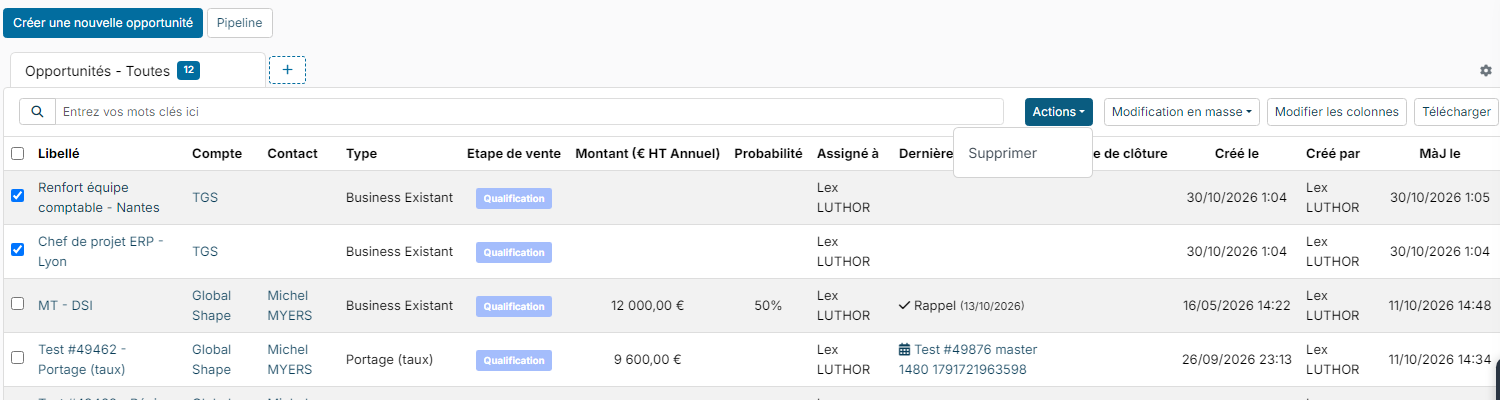
- Tick the opportunities to delete. The checkbox in the header ticks every row displayed.
- Click Actions > Delete.
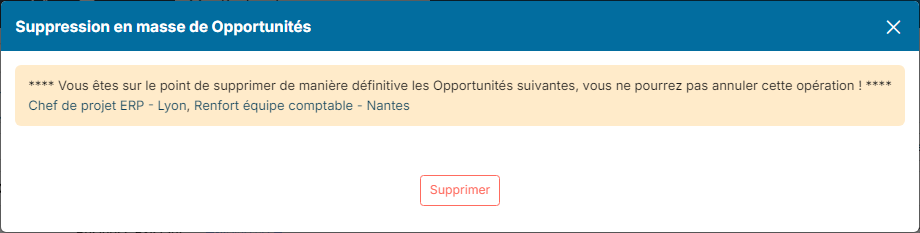
- The window that opens lists the selected opportunities. Check them, then click Delete.
A message confirms how many opportunities were deleted, and the list refreshes.
Good to know
- The deletion cannot be undone from the list: check the selection before confirming.
- Only the opportunities of accounts you have access to can be deleted, that is the ones the list shows you.
- If your account is not a super administrator, the window also asks you to confirm your identity (password, SSO sign-in or confirmation code, depending on how your workspace is set up).
- The Bulk Updates menu next to it changes a field (stage, type, assignee, tags…) on several opportunities at once. It does not delete them.
Were this information helpful?