Check an account's financial health
Before granting payment terms or signing with a new customer, Nicoka checks the financial health of a French company in the public registers, without leaving its record.
Run the check
- Open the account record. Its SIRET or SIREN must be filled in: see Fill in an account's or supplier's identification from its SIRET.
- Click Actions, then Check financial health.
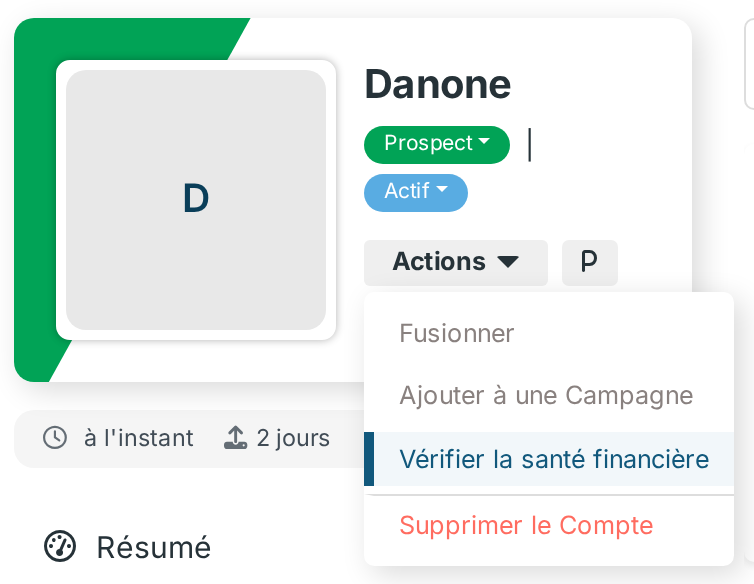
A window opens and queries the public registers: the result shows there after a few seconds.
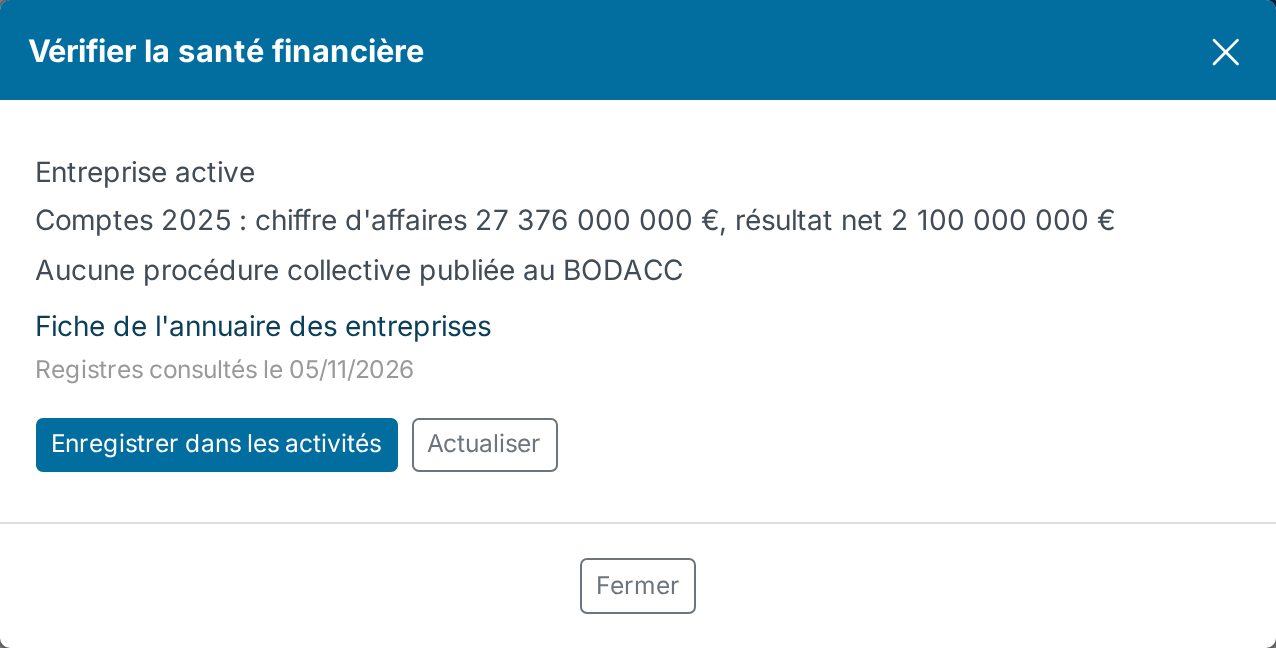
Click Save in activities to keep the result in the account Activities, dated and under your name: it keeps what the registers stated on the day of the check.
The result is reused for 7 days for the same company, without calling the registers again: the date of the check shows under the result. Click Refresh to query the registers again before that, for example before granting payment terms.
What is checked
- Company status: active or closed, according to the Sirene register.
- Last published accounts: revenue and net income of the last financial year. Many small companies file their accounts confidentially: Nicoka then shows "Accounts not published".
- Insolvency proceedings: the last five published in the BODACC (safeguard, receivership, liquidation), with the judgment date and a link to the notice.
The Companies directory record link opens the full record of the company on annuaire-entreprises.data.gouv.fr.
Good to know
- The action is offered on every account, to users allowed to update accounts. Without a valid SIRET or SIREN, or for a company from another country, the window says so without querying the registers.
- A check saved by mistake is deleted from the … menu of the activity.
- The public registers give facts, not a credit rating: for a risk score, use a specialised service.