Convert a candidate into a contact
A candidate can become a business contact: for example an interim manager placed with a customer, or a freelancer who will become your supplier. Nicoka then creates a contact in the CRM from the candidate's record, with no retyping, and keeps the link between the two records.
Before you start
- The CRM module is active and you have the right to create contacts.
- The candidate is not already linked to a contact, nor to an employee.
Convert from the candidate's record
The conversion is possible at any time, without waiting for the end of a recruitment.
- Open the candidate's record from the list of candidates.
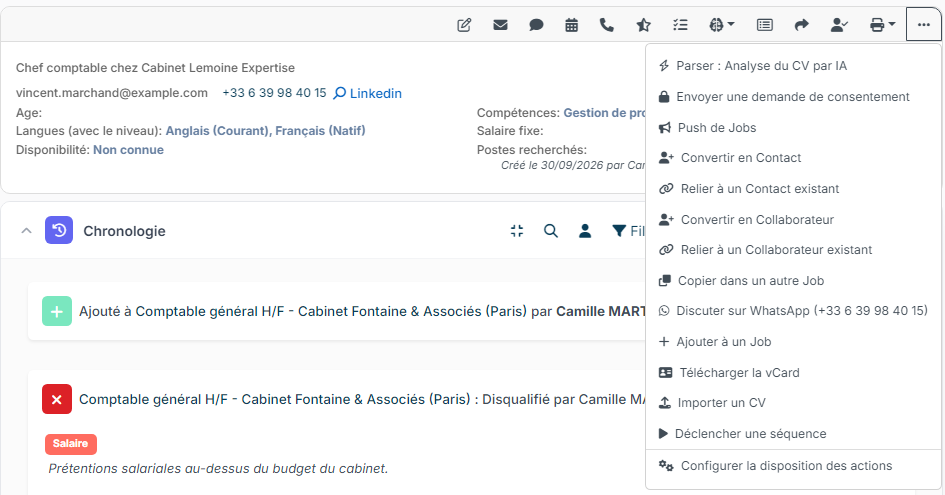
- In the action bar, click ⋯ (Other Actions), then Convert into Contact.
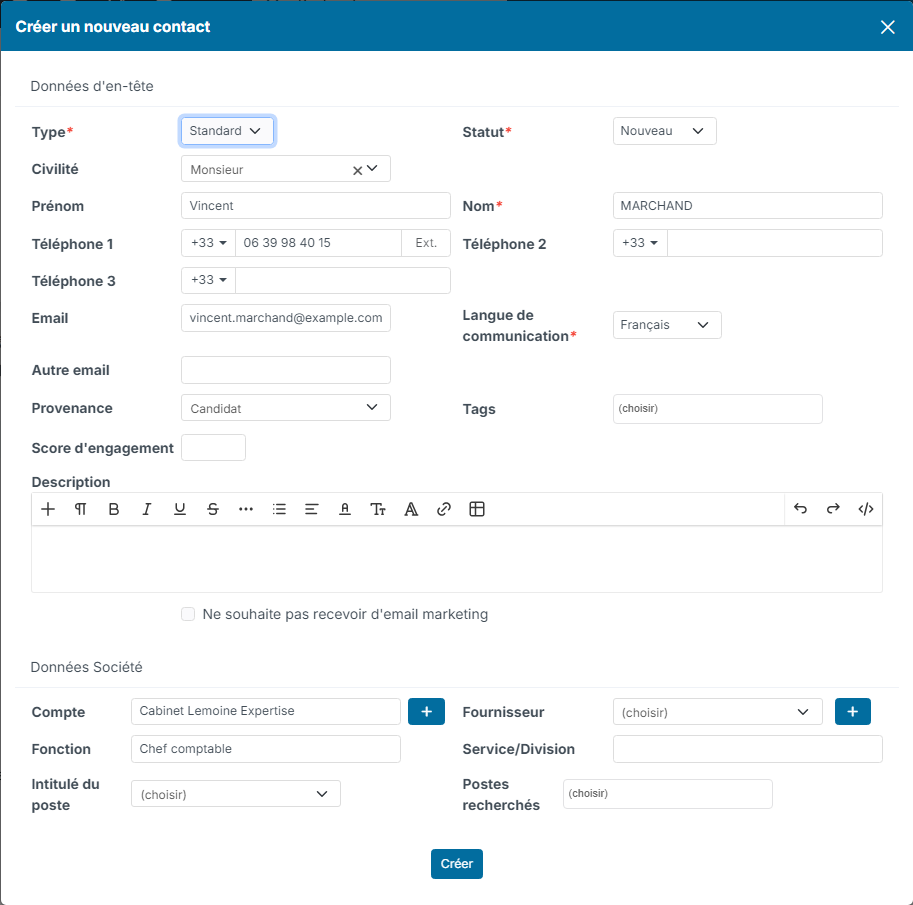
- The contact creation window opens, already filled in with the candidate's information: title, first name, last name, phones, email, current position and company. The Source is set to Candidate.
- Fill in the contact's Type and Status, then check the link in Account Information: the Customer and, if the contact is a supplier, the Supplier. The + buttons create a customer or a supplier that does not exist yet.
- Click Create. The new contact's record opens.
If the person already exists in your CRM, choose Link to an existing Contact in the same menu instead.
Create the contact automatically on hiring
If you often convert your placed candidates, Nicoka can create the contact when you validate the hiring.
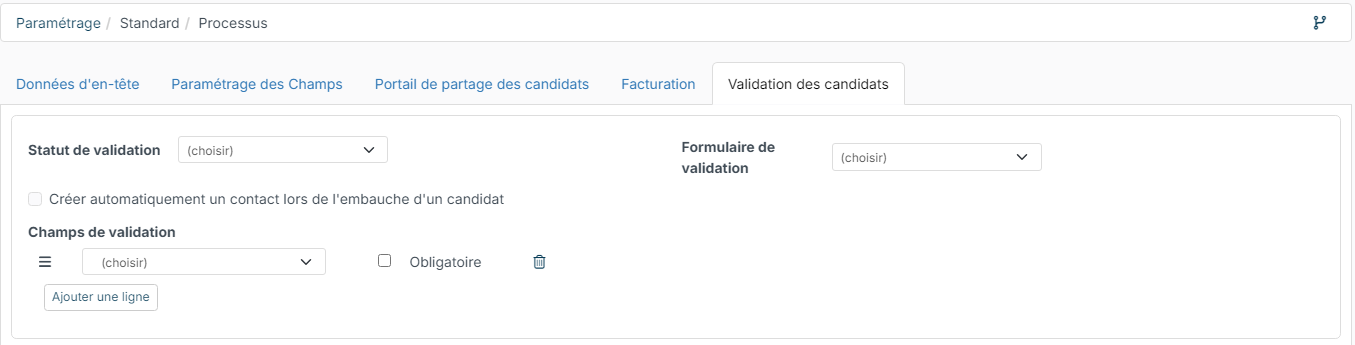
- In Customizing > ATS, open the recruitment process concerned.
- In the Candidate Validation tab, tick Automatically create a contact when a candidate is hired, then save.
Then, when you click Validate Candidate at the last step of the job, the Mark as hired window also asks you for the Type of Contact (mandatory), the customer and, if needed, the supplier. The contact is created when you validate. If the candidate is already linked to a contact, nothing is asked.
In a job linked to a customer and followed with an Invoiceable process, a Convert into Contact button also appears on the hired candidate's record, in the pipeline.
After the conversion
- The two records stay linked: the candidate's record shows that they are also a contact, and the conversion option disappears.
- The contact's type, status, source and tags belong to the CRM: they are not copied from the candidate.
- If a contact with the same email or phone is already linked to another candidate, Nicoka blocks the conversion and says so.
Not to be confused with: Convert into Employee turns the candidate into an employee of your company. See Convert a candidate into an employee.