Posting your jobs with JobPosting
JobPosting is a multiposting solution: it picks up the jobs you post from Nicoka and publishes them on the jobboards of your JobPosting subscription. You post to JobPosting like to any other jobboard, and applications come back into Nicoka.
Before you start
- You have a JobPosting subscription and your JobPosting recruiter ID. Ask JobPosting for it, saying that you post your jobs from Nicoka.
- You are an administrator of your Nicoka workspace.
Step 1: Create the JobPosting configuration
- In the side menu, open Customizing > Store. On the ATS card, click Customize.
- In the left menu, open the jobs section, then click MultiPosting Configs.
- Click Create a new MultiPosting Config.
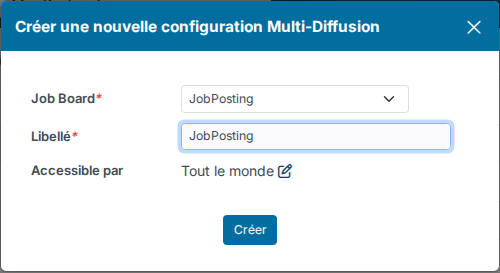
- In Job Board, choose JobPosting. Enter a Label (your recruiters will see it when they post a job), then click Create.
Step 2: Complete the configuration
In the list, click the Customize cogs icon of the configuration. A wizard opens.
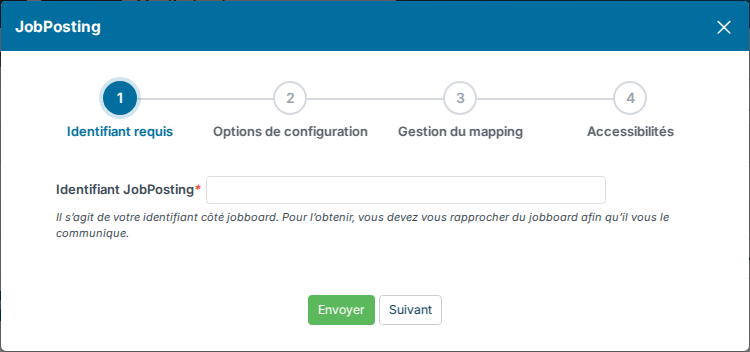
- Required identifier: enter your JobPosting recruiter ID in the ID field followed by the label of your configuration (for example "ID JobPosting").
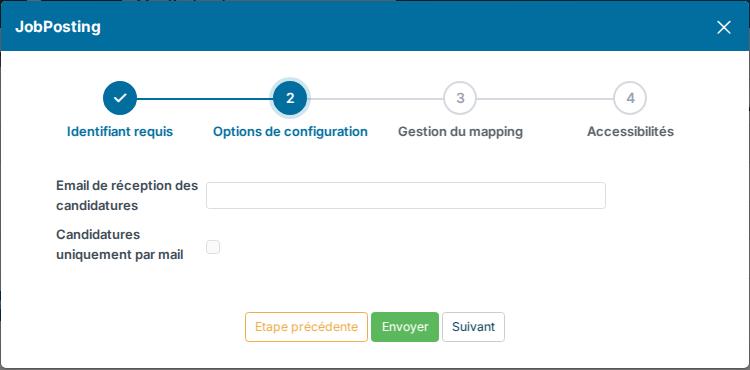
- Configuration options: the Email for receiving applications and the Applications only by mail box (see "Receive applications").
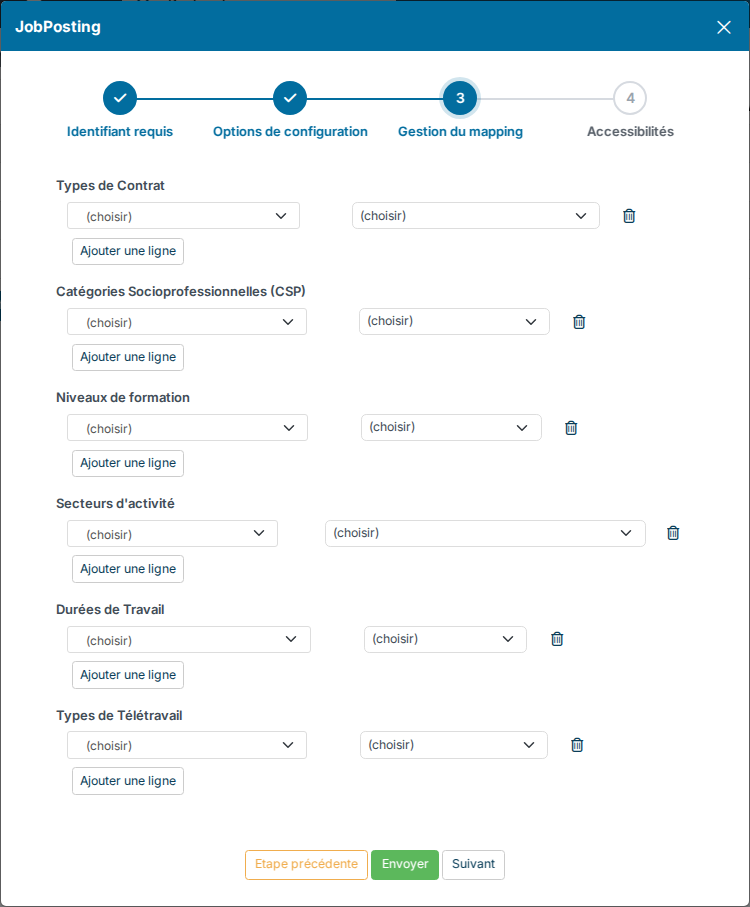
- Mapping management: map your Nicoka values to JobPosting's for contract types, statuses (socio-professional categories), education levels, industries, employment types and remote work. JobPosting requires all of them except remote work.
- Access settings: the label, an optional posting limit and the people who can use JobPosting.
Move from one step to the next with Next, then click Send. Each step and the mapping are detailed in Multiposting configuration.
Step 3: Activate the configuration
Click in the Active column of the configuration: a tick appears. Nicoka refuses the activation while required information is missing, and tells you which.
Post a job on JobPosting
- On the job, click Publish.
- Click Multi Posting, then Post my job.
- Tick your JobPosting configuration, then click Submit.
JobPosting requires a complete job. Before posting, fill in on the job: the title, the industry, the country, city and zip code, the status, the contract type (and its duration for a fixed-term contract, an internship or a freelance assignment), the employment type, the company description (at least 100 characters), the job description and the requirements (at least 200 characters each), the minimum experience, the education level, the minimum salary and its period. If something is missing, Nicoka tells you when you post.
Nicoka then makes the job available to JobPosting, which picks it up the next time it reads the Nicoka jobs.
Receive applications
- By default, a candidate who clicks the ad is taken to the job page of your career site and applies there. The application arrives in the job, with JobPosting as source.
- With the Applications only by mail box ticked, JobPosting sends applications by email to the Email for receiving applications (otherwise to the job owner). If that mailbox is connected to Nicoka, Nicoka reads the email and creates the candidate, with the original jobboard given by JobPosting as source (see Connect your mailbox).
Follow, update or withdraw the ad
The job's Posting Log tab shows where the JobPosting ad stands. A change to the job is not sent to JobPosting automatically. Cancelling the posting or closing the job removes the job from JobPosting. See Multiposting configuration for details.
Need help?
If you would like help with the setup, contact Nicoka support.