Get an email when a document is signed
When a document is sent for signature with DocuSign, Yousign, Adobe Sign or Oodrive, the person who sent the request sees each signature in the Nicoka bell. To also email the author of the document once every signature is collected, Nicoka provides a ready-to-use event: [Model] - Signed document: notify the author.
It sends the email template Document signed - Author notification to the person who created the document, with the file name and a button to the document. It ships disabled: an administrator turns it on once for the whole instance.
Turn the event on
- In the side menu, open Customizing > Store. On the Documents card, click Customize.
- In the left-hand menu, click Events.
- On the [Model] - Signed document: notify the author row, click the icon in the Upd. column.
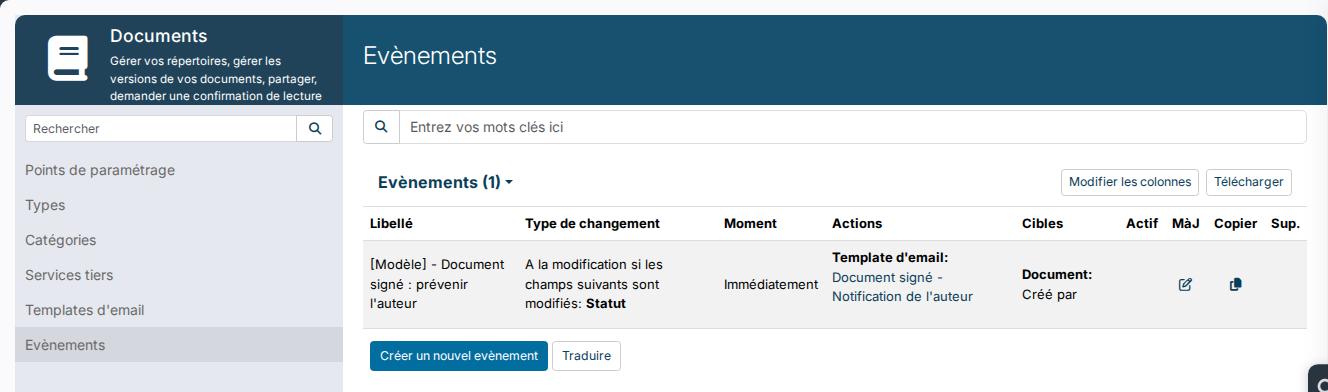
- Tick Active, then click Update.
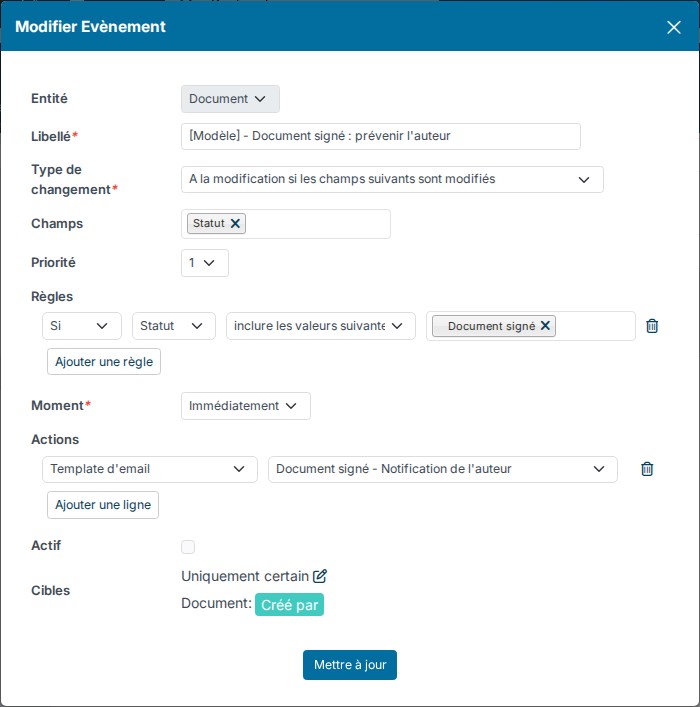
The email goes out as soon as a document moves to the Signed document status, that is when the last signer has signed.
What the author of the document receives
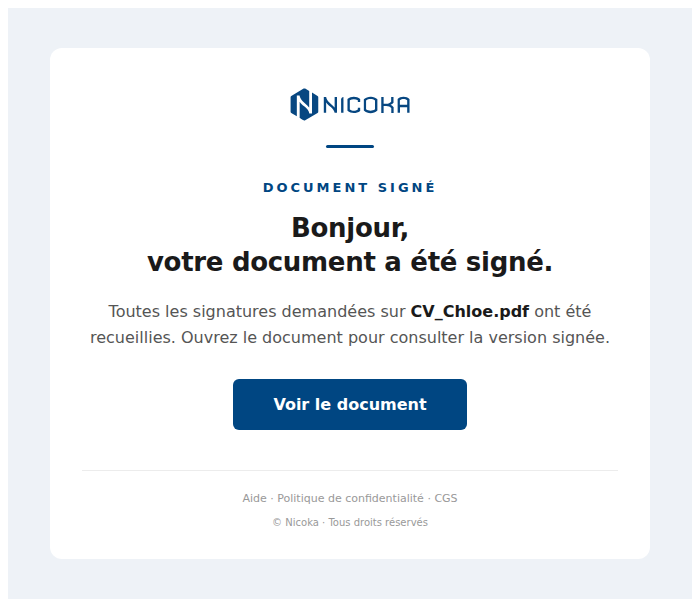
The email is sent in the person's language. The View the document button opens the document in Nicoka.
Adapt the event
- To target only some documents, for example those of candidates, copy the event with the icon in the Copy column. In the copy, click Add a rule and choose And If, Entity, include following values, Candidate. Tick Active on the copy only, otherwise the author gets two emails.
- To notify other people, click the pencil next to Targets: on top of Document: Created by, you can choose employees, departments or profiles.
- To change the wording of the email, edit the Document signed - Author notification template under Email Templates, in the same left-hand menu.
Good to know
- One email is sent per signed document: a request with three files sends three emails.
- With Nicoka Sign, the person who started the request already gets an email when the signature is validated. If that person also created the document, they get two emails: see Document Signing with Nicoka Sign.
- Other reminders and events are set up the same way: see Reminders and events.