Exclude a type of leave from leave accrual
Some absences do not give entitlement to leave: sick leave, unpaid leave or parental leave, depending on your collective agreement. In Nicoka, you list these absence types in the acquisition rule of the leave concerned. During these absences, the counter is no longer credited.
Open the acquisition rule
- In the side menu, open Customizing > Store, then click Customize on the TimeOff card.
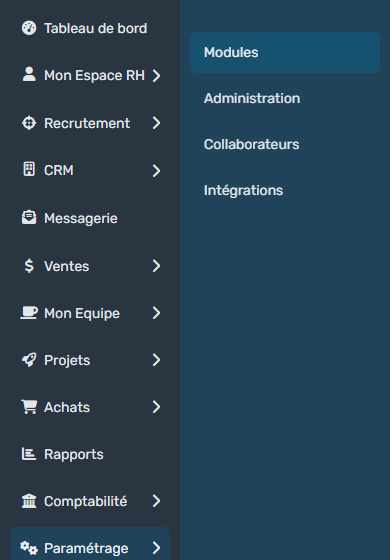
- In the module menu, click TimeOff Types.
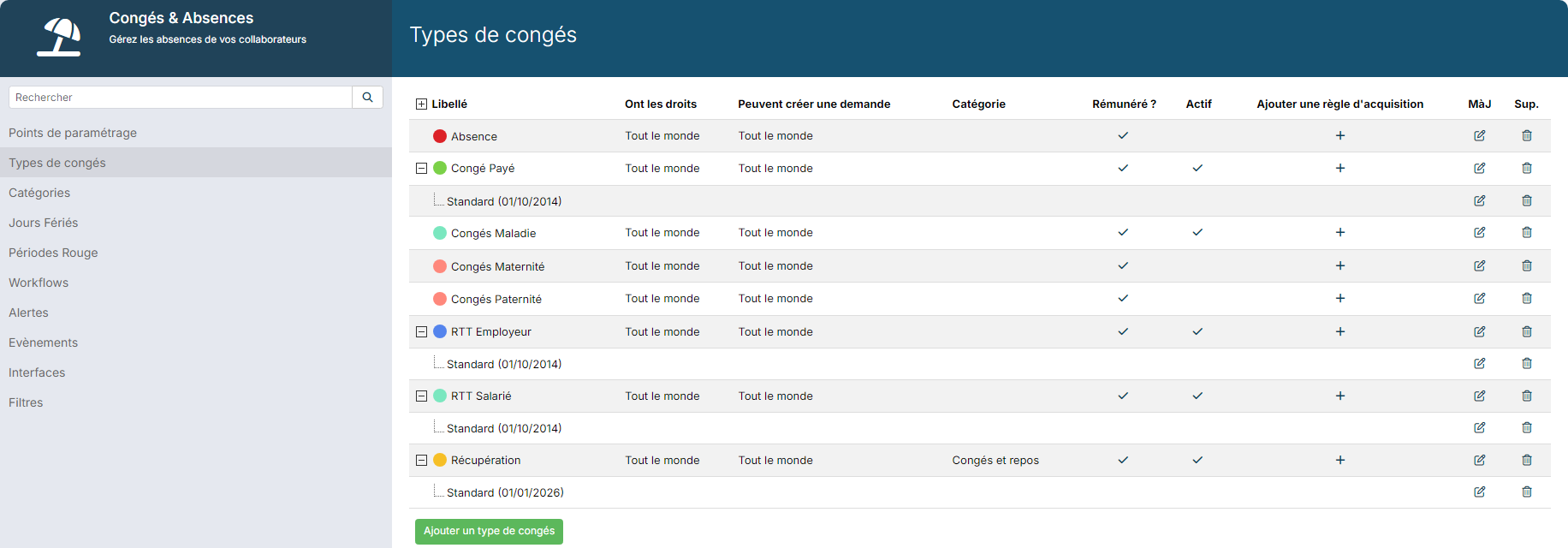
- Under the leave type concerned, find its acquisition rule, for instance Standard (01/10/2014) under paid leave. Click the icon in the Upd. column of that row.
Choose the excluded types
The Update Policy page opens.
- In Excluded types for accrual, select the absence types that must not generate accrual, for instance sick leave. You can choose several.
- In Exclusion Mode, choose when the exclusion applies:
- Since the first day: every day of these absences is removed from the accrual calculation, from the first one;
- Only after a month of absence: accrual is only reduced if these absences reach at least 30 days over the period.
- Click Update at the bottom of the page.

The counters concerned are recalculated with the new rule.
If the rule is already in use
When requests or counters already rely on the rule, a blue banner says so at the top of the page. You can still change the excluded types, but the Effective Date and the Working days can no longer be changed. To change them, click New version: you create a new rule, which applies from its own date.
Changing a rule during a period changes the counters already calculated. Preferably do it at the start of a period and then check a few counters.