Merging contacts
Nicoka CRM spots contact records that seem to describe the same person and lets you merge them into a single record. The whole history of your exchanges stays in one place.
How Nicoka spots duplicates
On a contact record, Nicoka looks for other contacts that have:
- the same last name and first name;
- the same email address;
- the same main phone (the direct line). The second phone, often the company switchboard, is not taken into account.
On the record, duplicates are only flagged to users allowed to delete contacts.
Spotting a contact's duplicates
- Open the contact record. If Nicoka found duplicates, the Potential duplicates have been founded button is displayed at the top of the record, next to the contact's name.

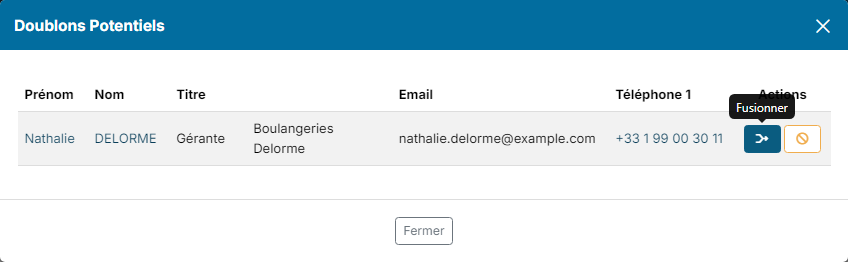
- Click this button. The Potential Duplicates window lists the contacts concerned, with their title, account, email and phone.
Finding all duplicates
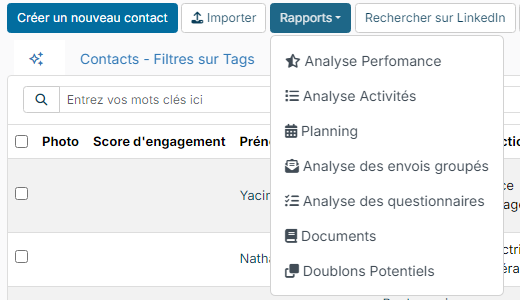
From the contacts list, open the reports menu and click Potential Duplicates.
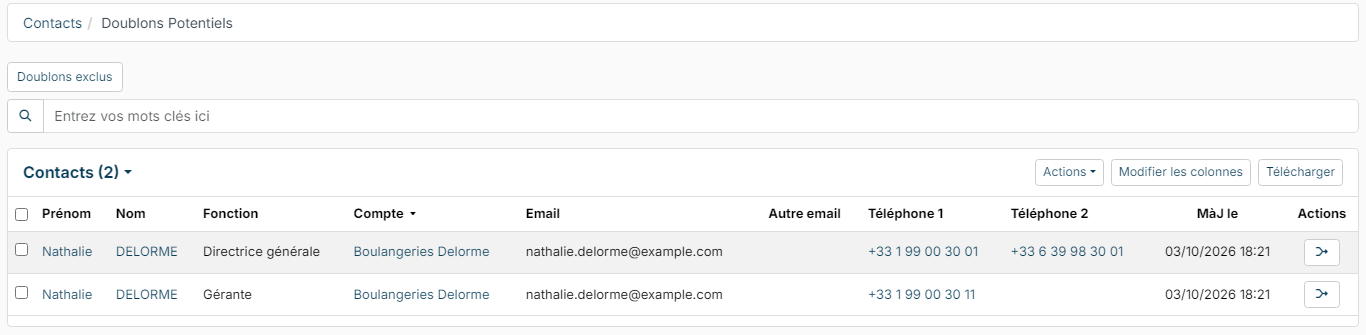
The page lists the contacts that share the same last and first name or the same email address. The button in the actions column opens the contact's Potential Duplicates window.
Merging two contacts
The record you opened is kept: the other contact is merged into it, then deleted. So first open the record of the contact you want to keep.
- In the Potential Duplicates window, click the Merge button on the duplicate's row.
- The Merge window reminds you that all the data will be merged and only one contact will remain. Click Merge to confirm.

What is merged
- The history: activities, notes, emails, tasks and events attached to the contact.
- Linked items: documents, quotations, opportunities, orders, invoices, jobs where the duplicate was the main contact, tickets, timesheets.
- Contact details: the duplicate's phones and emails fill the free slots of the kept record. Other fields, addresses and custom fields are only copied when they are empty on the kept record.
- Accounts: if the duplicate is linked to another account, that account is added to the linked accounts of the kept contact. Its responsible users are added too. See Linking a contact to several accounts.
It is not a duplicate
If both records really are two different people, click the It's not a duplicate button on the row. Nicoka will no longer flag them as duplicates, either way.
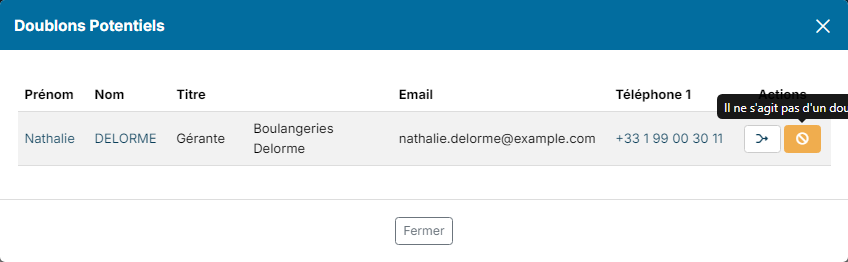
Excluded pairs are listed under Excluded duplicates, at the top of the Potential Duplicates page; you can cancel an exclusion there.
Can a merge be undone?
No. A merge cannot be undone: check both records carefully before confirming.