Remote work in Nicoka - simplified version
Without the Office & Remote Work module, you can already see who works from home: each employee declares their remote work days in their Nicoka calendar, and the Agenda - Who is working from home? widget shows them on the dashboard.
Set up remote work (administrator)
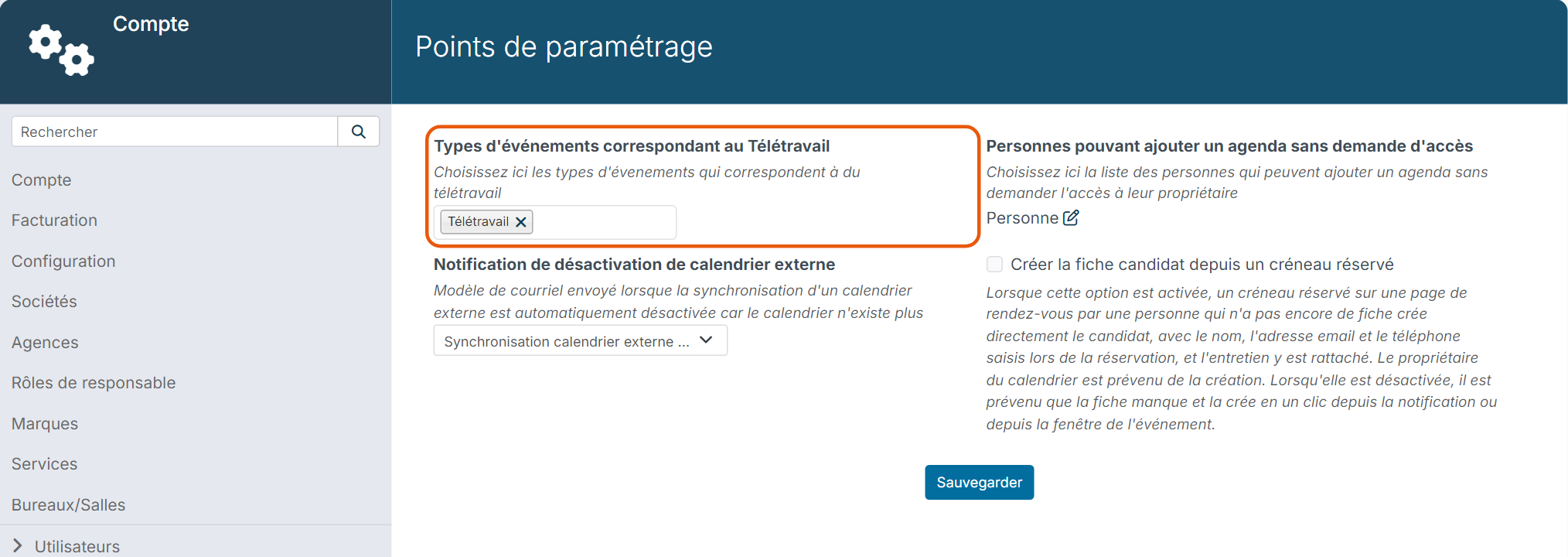
Nicoka needs to know which event type stands for remote work.
- If needed, create the event type: in the side menu, open Customizing > Admin, Agenda section > Event type, then click the button to create a new event type (for example "Remote work").
- Still in the Agenda section, click Customizing Points.
- In Teleworking event types, choose the "Remote work" type (you can choose several).
- Click Save.
Declare a remote work day
- In the top bar, click the calendar icon, then the link at the bottom of the list to show all events.
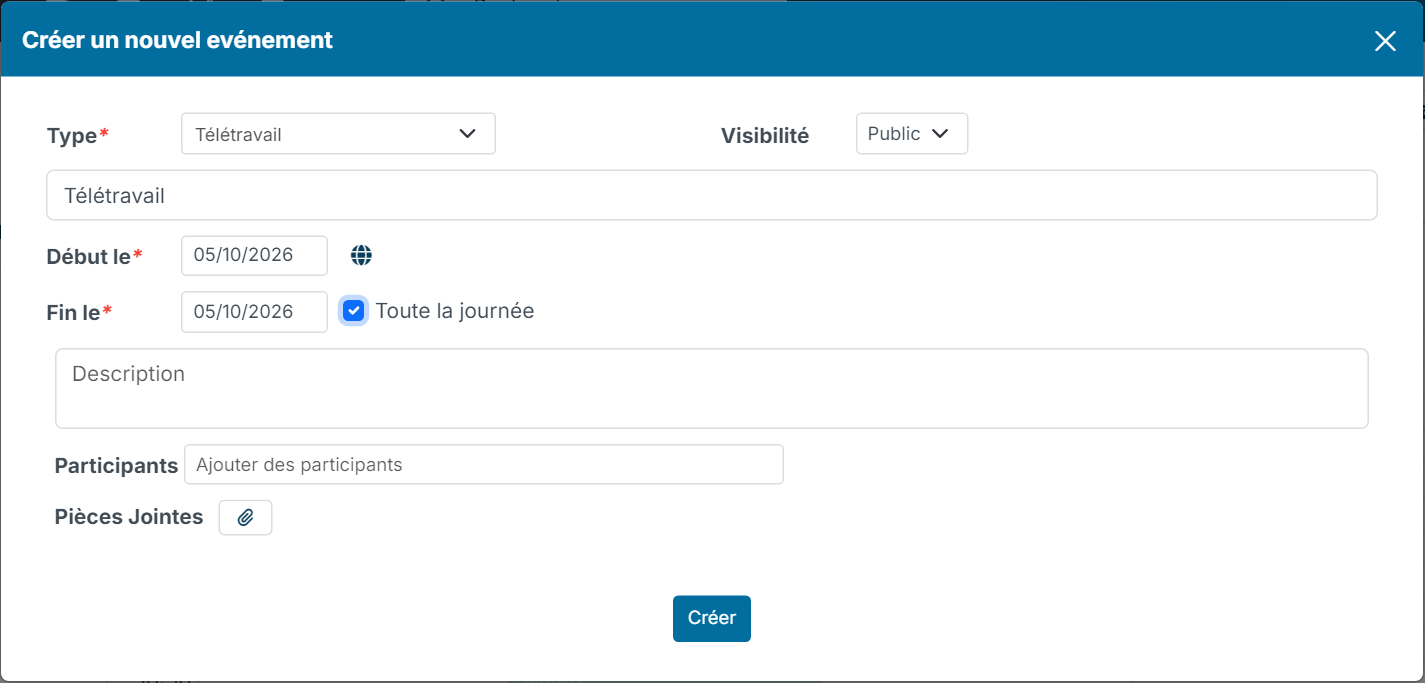
- Click the remote work day. The event creation window opens.
- In Type, choose the remote work type. Enter a label, for example "Remote work".
- Tick Fullday. For several days in a row, change the End On date.
- Click Create.
See who works from home
Add the Agenda - Who is working from home? widget to your dashboard: it shows the employees working from home today and tomorrow. To add a widget, see Dashboard - Customization.
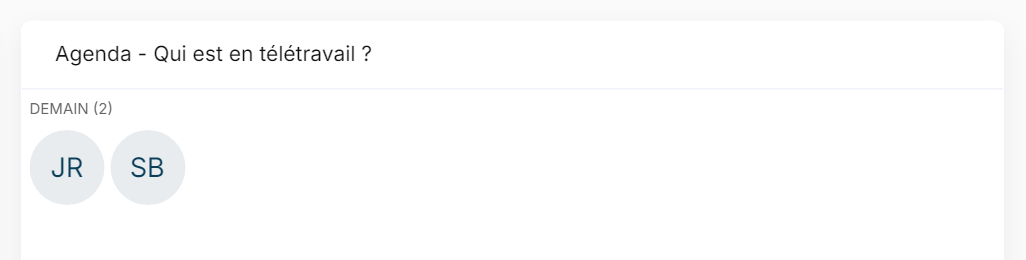
As long as the customizing point is empty, the widget stays empty.
Going further: the Office & Remote Work module
To manage remote work requests, allowed days and places, manager approval and the team schedule, use the Office & Remote Work module: see The Office & Remote Work module.
Note: when the Teleworking event types customizing point is filled in, the calendar events of that type are used to count remote work days for remote work allowances, instead of the work locations declared in the Office & Remote Work module. If you use that module, choose one of the two methods.