Internal mobility: open positions, internal applications and referrals
Nicoka puts your job offers within reach of your employees, right on their dashboard. An employee can read an offer, apply internally or refer someone they know. On the recruitment side, the application lands in the job pipeline, linked to the employee record, and the referral is credited to the employee who made it.
Setting up the "Open positions" widget
The Open positions widget is on as soon as the recruitment module is active on your instance.
To offer it to your employees:
- each employee can add it to their dashboard: Customizing button of the dashboard, Corporate category;
- an administrator can add it to the default dashboard of a profile, or not offer it to a profile (Widgets tab of the profile). See Dashboard - Customization.
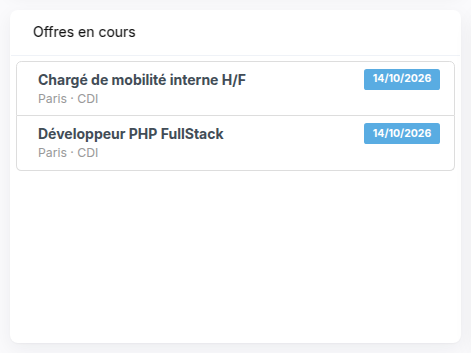
The widget lists the published and open offers, most recent first. To show an offer there, just publish it with the Publish button of the offer, as for the career site. A closed offer is not listed.
Reading an offer
Clicking an offer opens its announcement, as the career site shows it. At the bottom of the window:
- Apply: apply internally;
- Refer someone: put forward someone they know;
- Link to the announce: open the offer on the career site.
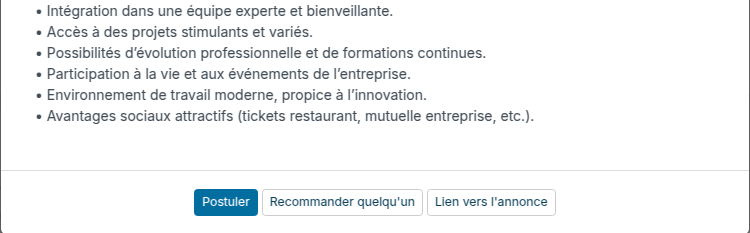
The Apply and Refer someone buttons only show for a user linked to an employee record.
Applying internally
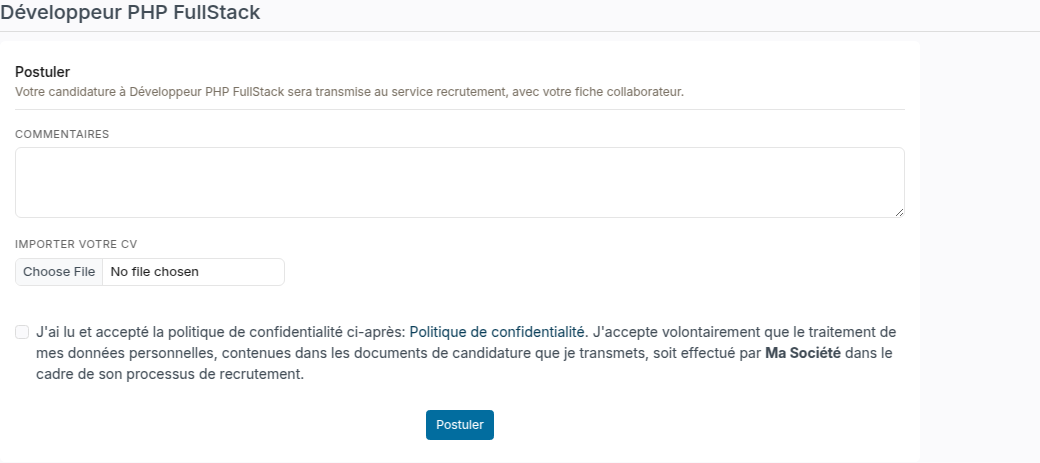
The employee does not type their identity again: Nicoka takes it from their employee record. They can add a comment and their resume, accept the privacy policy, then click Apply.
On the recruitment side:
- on the employee's first application, a candidate record is created and linked to their employee record; their next applications reuse it;
- the application lands in the first step of the job pipeline, with the Internal mobility source, and the people in charge of the job are notified as for a career site application;
- an employee can apply only once to the same offer.
When the Restrict access to hired candidates option is on, the record of a candidate linked to an employee is only visible to the profiles that have access to employees: the employee's move stays confidential.
Referring someone
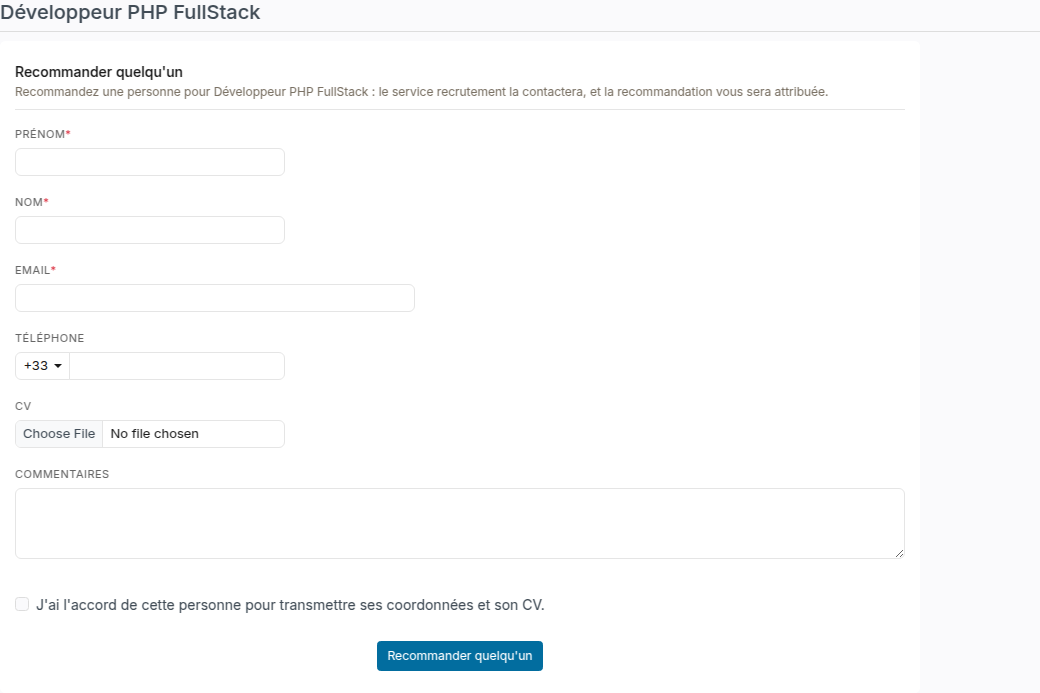
The employee enters the person's first name, last name and email, and if they wish their phone, resume and a comment. They confirm they have the person's consent to pass on their contact details, then click Refer someone.
- The person lands in the first step of the job pipeline, with your instance's co-opting source; the Co-Opted by field of their record shows the employee.
- The employee cannot refer themselves: they apply instead.
- A person already put forward on the offer cannot be put forward again. Nicoka does not say who put them forward.
Prerequisite: an active source of type Co-Opting, with the Linker to someone option ticked, in the candidate sources settings. Without one, the referral is refused and the employee is asked to contact their administrator.
Tracking referrals
The Cooptation analysis report, among the recruitment reports (see Reports on jobs), lists the co-opted candidates and their referrer. The Co-Opted by column shows who made the referral: a candidate or an employee. Leave the Hired filter empty to see every referral of the period, or choose Yes for those that led to a hire.

Frequent question
An employee applies on the career site with their work email and gets "This email is forbidden because it matches one of your company's addresses". This is on purpose: the career site does not accept your company's addresses. The employee applies from the Open positions widget, which uses their employee record.