Renewing job postings
Renewing a posting publishes the job ad again on the jobboard with a new publication date. On many jobboards, this can move it back up the list of offers. Each jobboard works in its own way, so this is not guaranteed.
If your jobboards are not configured yet, start with the article Multiposting configuration.
Following the status of your postings
Open the job, then the Posting Log tab. The Status column shows the state of the posting on each jobboard:
- Post Plan: the posting is scheduled. Hover over the status to see its date, click it to post right away.
- Posted: the ad is online.
- In validation by the job Board: the jobboard (APEC for example) still has to approve the ad.
- Announce not up to date: the job has changed since it was posted. Click the status to update the ad on the jobboard.
- Announce expired: the renewal delay has passed, you can renew the posting. This status is for information only: it does not mean that the jobboard has removed the ad, each jobboard takes ads offline according to its own rules.
- Announce Rejeted: the jobboard refused the ad. Hover over or click the status to see the reason, fix the job, then click the Submit the job posting again icon in the Actions column.
- Not Published: the ad was withdrawn from the jobboard.
- Posting Failed: the last posting attempt failed. See Handling posting errors.
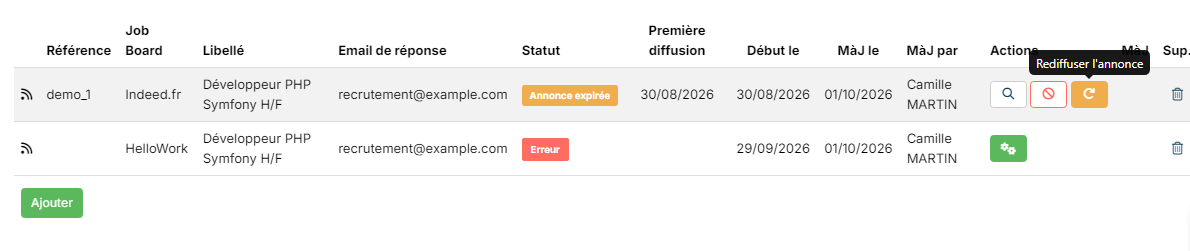
When can an ad be renewed?
A posting can be renewed when its status is Announce expired, that is once the renewal delay has passed since it was last posted. By default, this delay is 25 days. It can differ for some jobboards: the support team sets it jobboard by jobboard, from "Immediately" to 30 days, and can also turn renewal off. To change it, write to support@nicoka.com.
Renewing the postings of a job
On a single jobboard: in the Posting Log tab, click the orange republish icon in the Actions column. It appears when the ad has expired.
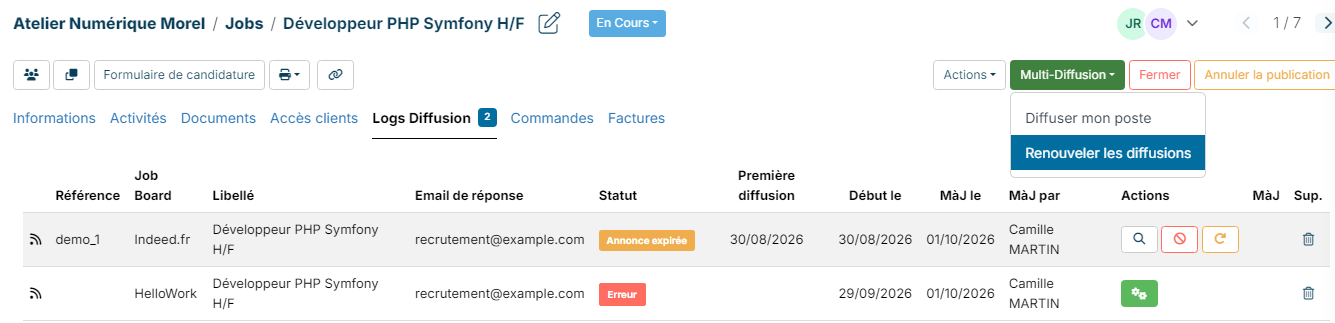
On all the jobboards of the job: click Multi Posting, then Renew the postings. Nicoka immediately renews all the expired ads of this job and shows the result for each jobboard. Ads that have not expired yet are listed with their age and are not renewed.
Renewing several jobs at once
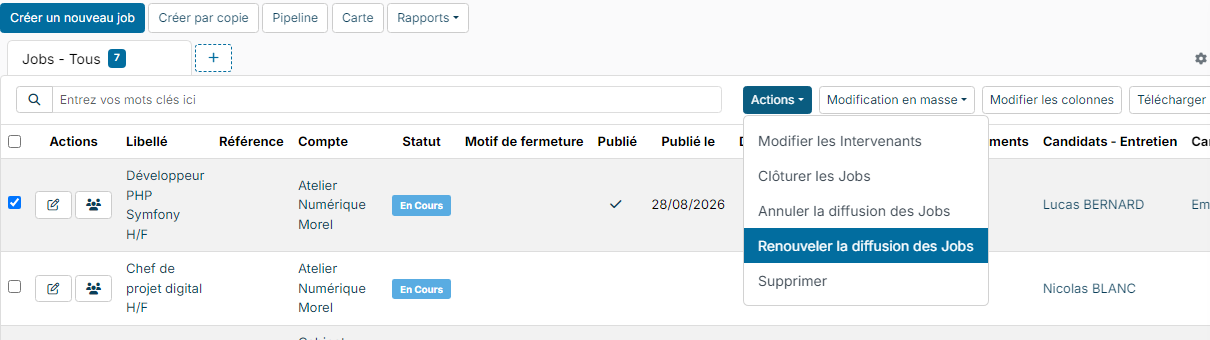
- In the job list, tick the jobs to renew.
- Click Actions, then Republish followed by the name your account gives to jobs (for example Republish Jobs).
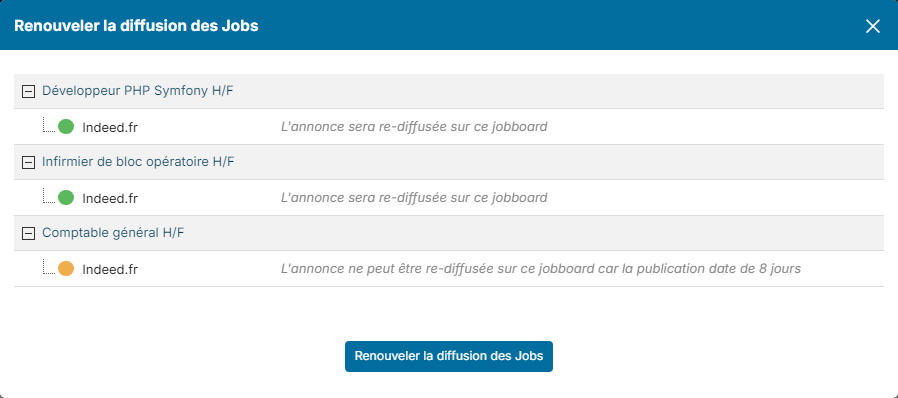
- A window shows, job by job, what will happen on each jobboard:
- green dot: "The job will be rebroadcasted on this jobboard";
- orange dot: the ad has not expired yet and will not be renewed; the window says how many days ago it was published.
- Click the button at the bottom of the window. The renewal is scheduled and runs in the background.
The "Jobboard broadcasts to be renewed" widget
This dashboard widget lists your published jobs with at least one expired posting, with the jobboards concerned and the date they were last posted. The Renew the postings button immediately renews the expired ads of the job.

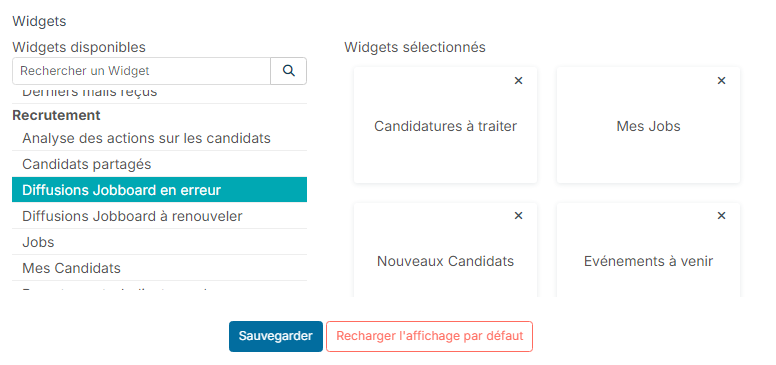
To add it: open the Dashboard, click the Customizing cogs icon at the top right, click Jobboard broadcasts to be renewed in the Recruitment section, then click Save.
The ad reference changes slightly
On the jobboard websites, the reference of your offer may get a --NK suffix followed by a number after a renewal. This suffix is needed for the renewal and changes nothing on your side: the reference of the offer in Nicoka stays the same.
A posting fails after a renewal
A renewal runs the jobboard checks again on the job as it is that day. If the job has changed since it was first posted, or if a mapping is missing in the jobboard configuration, the posting switches to Posting Failed and is not renewed. The Jobboard broadcasts in error widget groups them. To fix them, follow the article Handling posting errors.