Edit the access profile of an employee / user
An employee becomes a manager, or changes jobs? Change their access profile: it determines what they see and what they can do in Nicoka. This operation is reserved for administrators.
Changing an employee's profile
- In the side menu, open Customizing > Resources, then click the employee's name.
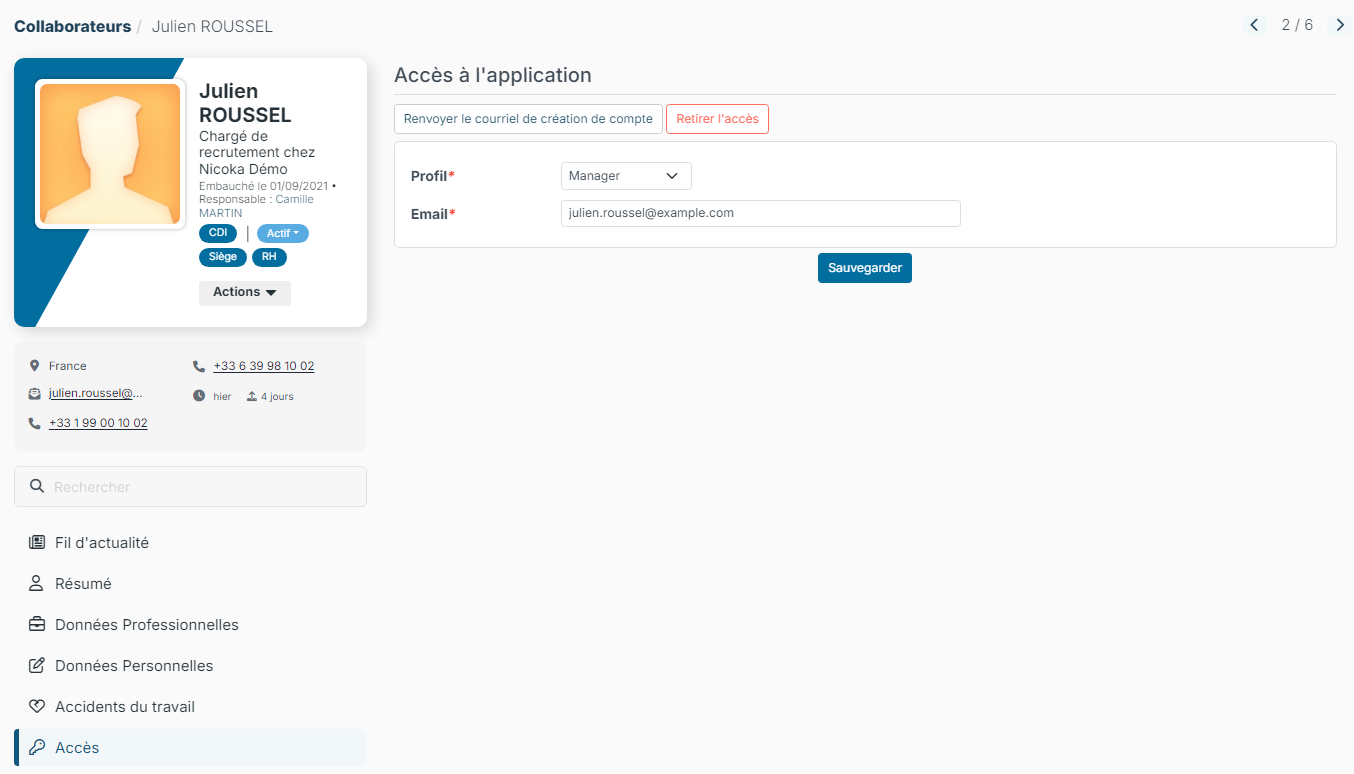
- In the menu of their record, click Application Access.
- In the Profile list, choose the new profile, for example Manager.
- Click Save.
If your space uses secondary profiles, a second list lets you add other profiles to the main one: the employee then combines the rights of these profiles.
The other actions of the Access section
- Resend account creation email: the employee receives a new link to choose their password.
- Remove access: the employee can no longer log in. Their record is kept.
- Unlock Account: only shown when the account has been locked after too many wrong passwords. See My Nicoka account is locked.
Learn more
Were this information helpful?